
Zero-Click Search Optimization: What to Do
Learn how to optimize for zero-click search without losing sight of traffic, brand visibility, and downstream conversions.
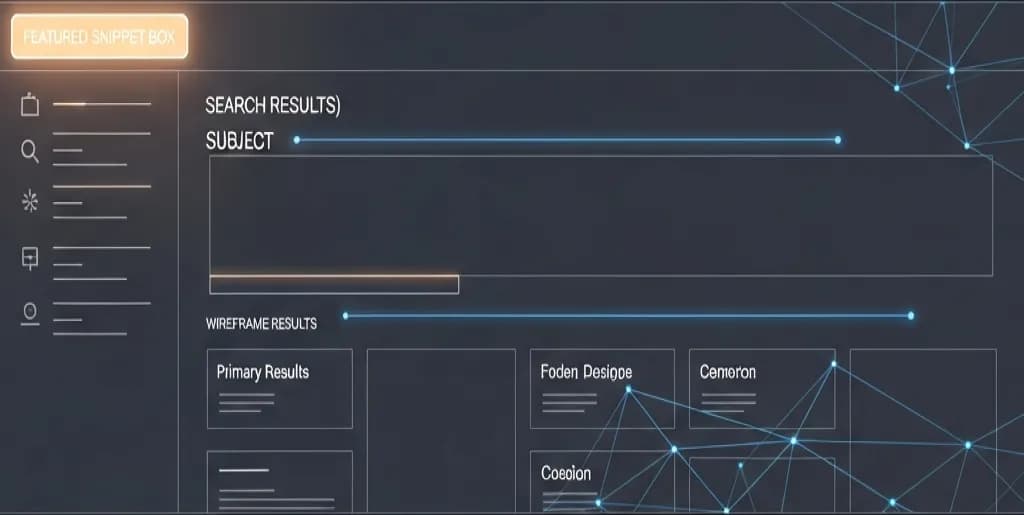
Zero-click search optimization means designing pages so they can win visibility even when the search engine answers part of the query directly on the results page. That includes featured snippets, AI overviews, knowledge panels, and other extractive formats.
The right goal is not maximize zero-click at any cost. It is to decide which queries are worth owning on the SERP, which ones should still drive clicks, and how to measure value when impressions matter as much as visits.
This guide explains how to approach zero-click search without confusing visibility with business impact.
Understanding the Zero-Click Phenomenon
A zero-click search occurs when a user's query is fully resolved on the search engine results page. The user finds the information they need without clicking any external links. This phenomenon fundamentally alters the traditional mechanics of search engine optimization.
Search engines utilize various extraction methods to pull data from web pages and display it directly. These features include featured snippets, knowledge panels, local packs, and artificial intelligence overviews. You must understand how these mechanisms operate to optimize your content effectively.
The Evolution of Search Engine Results Pages
Search engines no longer function merely as directories of blue links. They operate as comprehensive answer engines designed to keep users within their ecosystems. This transition began with the introduction of the Knowledge Graph and accelerated with featured snippets.
Modern search algorithms prioritize user experience by reducing friction. Mobile users, in particular, demand instant answers without waiting for external pages to load. Search engines meet this demand by scraping and displaying the most relevant, concisely formatted information available.
You must recognize that search engines now act as content aggregators. They evaluate your content not just for its overall quality, but for its extractability. Your goal is to become the primary source from which search engines pull these direct answers.
What Constitutes a Zero-Click Search
Zero-click searches encompass a wide variety of user interactions. The most common form is the featured snippet, which displays a brief paragraph, list, or table above the organic results. Users read this snippet, satisfy their informational need, and close the browser.
Other zero-click features include quick answer boxes for math calculations, weather forecasts, and currency conversions. Knowledge panels provide comprehensive summaries of entities like people, organizations, and places. Local packs display business information, reviews, and contact details directly on the page.
You cannot optimize for every type of zero-click feature. Quick answers sourced from public databases are largely out of reach for independent publishers. You must focus your efforts on featured snippets, knowledge panels, and AI-driven overviews where your original content can be featured.
Why Search Engines Prefer Direct Answers
Search engines prioritize direct answers to maximize user retention and satisfaction. When users find answers quickly, they trust the search engine more and return for future queries. This increased usage drives the search engine's primary revenue model: advertising.
Direct answers also cater to the rise of voice search and smart devices. Voice assistants rely entirely on featured snippets to provide spoken answers. If your content is not formatted for extraction, you remain invisible to users querying via smart speakers or mobile voice assistants.
Furthermore, direct answers reduce the cognitive load on the user. They eliminate the need to scan multiple web pages, navigate intrusive pop-ups, or dig through lengthy articles. You must align your content strategy with this preference for immediate, frictionless information delivery.
The Impact on Traditional SEO Metrics
Zero-click searches disrupt traditional performance metrics like click-through rate and organic sessions. You may observe a keyword ranking in the number one position while generating negligible traffic. This discrepancy occurs because the search engine is answering the query directly.
You must adjust your reporting frameworks to account for this reality. High impressions combined with low clicks on informational queries often indicate a successful zero-click placement. You are achieving maximum visibility, even if the traffic does not materialize on your analytics dashboard.
Do not view zero-click searches as a loss of traffic. View them as a shift in where the brand interaction takes place. You are trading a website visit for an immediate, authoritative brand impression at the exact moment of user intent.
Identifying Zero-Click Search Intents
You cannot optimize for zero-click searches without first understanding user intent. Search intent dictates whether a query will trigger a direct answer on the results page. You must analyze queries systematically to determine their zero-click potential.
Not all keywords trigger featured snippets or knowledge panels. Transactional queries typically yield product listings, while navigational queries yield official website links. You must focus your research on specific informational and local intents that search engines prefer to answer directly.
Informational Intent and Quick Answers
Informational queries represent the vast majority of zero-click searches. Users enter these queries to learn something specific, define a term, or understand a process. Search engines aggressively target these queries with paragraph snippets, lists, and direct answer boxes.
Look for queries beginning with interrogative words. "What is," "how to," "why does," and "when did" are strong indicators of informational intent. These explicit questions signal to the search engine that the user requires a factual, concise response.
Implicit informational queries also trigger zero-click features. A user typing "photosynthesis" is likely looking for a definition, even without the "what is" modifier. You must analyze the current search results for these short-tail keywords to see if a definition snippet already exists.
Navigational Intent in Zero-Click Scenarios
Navigational intent occurs when a user searches for a specific website, brand, or physical location. While users typically click the official link, search engines increasingly provide zero-click resolutions for these queries. Knowledge panels and corporate contact snippets dominate this space.
Users searching for customer service numbers, login pages, or corporate headquarters often find their answers without clicking. Search engines extract this data from authoritative sources and display it prominently. You must ensure your corporate information is easily accessible and clearly marked up for extraction.
Optimize your brand's digital footprint to control these navigational zero-click experiences. Claim your knowledge panel, update your business profiles, and use structured data on your contact pages. You want users to see accurate, brand-approved information when they search for your company.
Transactional Intent and Local Packs
Transactional intent traditionally drives users to e-commerce product pages or service landing pages. However, local transactional queries frequently result in zero-click interactions. Users searching for "plumbers near me" or "best coffee shop" rely heavily on the local pack.
The local pack displays a map, business names, ratings, and contact information. Users can call a business, get directions, or read reviews directly from the search results. This constitutes a zero-click conversion, where the user takes a desired action without visiting your website.
You must optimize your local presence to capture these transactional zero-click searches. Maintain accurate business listings, encourage customer reviews, and upload high-quality photos. Your goal is to provide enough information in the local pack to facilitate an immediate offline conversion.
Tools for Analyzing Search Intent
You must utilize professional SEO tools to identify zero-click opportunities at scale. Platforms like Semrush, Ahrefs, and Moz provide specific filters for SERP features. Use these tools to analyze your existing keyword portfolio and discover new targets.
Filter your keyword research to show only queries that currently trigger a featured snippet, knowledge panel, or AI overview. This eliminates guesswork and focuses your efforts on proven zero-click territory. Analyze the domains currently holding these positions to understand the required content format.
Pay close attention to the "People Also Ask" boxes. These dynamically generated questions represent verified user intents closely related to your primary topic. Extract these questions and incorporate them into your content strategy to capture secondary zero-click placements.
Mapping Intent to SERP Features
Once you identify the intent, you must map it to the corresponding SERP feature. Different intents require different content formats for successful extraction. You cannot use a table to answer a "why" question, nor can you use a paragraph to answer a "top 10" query.
Map "what is" and "why" queries to paragraph snippets. These require concise, definitive explanations. Map "how to" queries to ordered lists, as users expect sequential steps. Map comparison queries, like "product A vs product B," to HTML tables.
Create a content mapping document before you begin writing. List the target keyword, the identified user intent, the currently displayed SERP feature, and the required content format. This systematic approach ensures your content architecture aligns perfectly with search engine extraction algorithms.
Formatting Content for Direct Answers
Search engines rely on natural language processing and HTML structure to extract direct answers. You must format your content specifically to assist these extraction algorithms. Writing great content is insufficient; you must engineer it for visibility.
Direct answer optimization requires strict adherence to specific structural rules. You must control your sentence length, utilize clear heading hierarchies, and place the most critical information upfront. Treat your content as a database that search engines query for specific facts.
Structuring Paragraphs for Featured Snippets
Paragraph snippets are the most common zero-click feature. They typically answer "what," "why," and "who" queries. To capture these snippets, you must provide a standalone, definitive answer immediately following a relevant heading.
Keep your target paragraph between 40 and 50 words. Search engines rarely extract paragraphs longer than 300 characters. Write clearly and concisely, avoiding introductory fluff or unnecessary context. The paragraph must make complete sense when read in isolation.
Use the target keyword or a close variation in the first sentence of the paragraph. Structure the sentence as a direct statement of fact. For example, if the query is "what is zero-click search optimization," begin the paragraph with "Zero-click search optimization is the process of..."
Writing Concise Definitions
Definitions require a specific grammatical structure for optimal extraction. Search engines look for the "is/are" format when identifying definition snippets. You must state the concept, use the verb "to be," and follow it with a clear explanation.
Avoid starting definitions with phrases like "In my opinion" or "Many people believe." State the definition as an objective, universal truth. Use precise industry terminology, but avoid overly complex jargon that might confuse natural language processing algorithms.
Place your concise definition immediately below an H2 or H3 heading that poses the exact question. If your heading is "What is a Content Delivery Network?", the very next line must be the 40-word definition. Do not insert images, ads, or secondary headings between the question and the answer.
Utilizing the Inverted Pyramid Method
The inverted pyramid method is essential for zero-click formatting. This journalistic technique requires you to place the most important information at the very beginning of your content block. You provide the broad context and supporting details later.
When optimizing for a direct answer, give the complete answer in the first paragraph. Do not tease the answer or force the reader to scroll down. Search engine bots prioritize content located near the top of the page and immediately following relevant headings.
Once you provide the direct answer, use subsequent paragraphs to expand on the topic. Provide examples, case studies, and deeper analysis. This satisfies the search engine's need for a concise snippet while providing comprehensive value to users who choose to click through to your site.
Optimizing Headings for Question Queries
Search engines use HTML headings (H2, H3, H4) to understand the structure and hierarchy of your content. You must use these headings to explicitly state the questions your content answers. This creates a clear map for extraction algorithms.
Format your subheadings as complete questions that match user search queries. Instead of a vague heading like "Pricing," use a specific question like "How much does enterprise SEO software cost?". This direct matching significantly increases your chances of capturing the snippet.
Maintain a logical heading hierarchy. Use H2 tags for primary questions and H3 tags for follow-up or related questions. This nested structure helps search engines understand the relationship between different concepts on your page, improving your overall topical authority.
Real Case Study: Formatting for Definition Snippets
A mid-size B2B software company struggled to gain visibility for highly technical industry terms. Their glossary pages contained comprehensive, 1000-word articles, but they failed to capture featured snippets. The content was dense, and the actual definitions were buried deep within the text.
The company implemented a strict formatting overhaul. They added an H2 heading reading "What is [Term]?" to the top of every glossary page. Immediately below this heading, they inserted a bolded, 45-word paragraph utilizing the "is/are" definition structure. They moved the historical context and technical examples below this initial block.
Within four weeks of re-indexing, the company captured featured snippets for 34% of their targeted glossary terms. Organic impressions skyrocketed, and their brand became the definitive answer for key industry concepts. This test proved that structural formatting is just as critical as content depth for zero-click optimization.
Leveraging Lists and Tables
Search engines frequently extract structured data formats like lists and tables to answer complex queries. These formats provide highly scannable, easily digestible information. You must utilize HTML lists and tables strategically to capture these specific zero-click opportunities.
Do not rely on visual formatting alone. Using dashes or asterisks in a standard text block will not trigger a list snippet. You must use proper HTML tags (<ul>, <ol>, <li>, <table>) to communicate the structure to search engine crawlers.
Designing Ordered Lists for Processes
Ordered lists (<ol>) are essential for capturing "how-to" queries, step-by-step tutorials, and chronological processes. Search engines extract these lists to guide users through tasks directly on the results page. You must format your instructions clearly to win these snippets.
Begin your ordered list immediately following a descriptive H2 or H3 heading. For example, use a heading like "How to Install a WordPress Plugin." Follow this with the <ol> tag. Keep each list item (<li>) concise, ideally under 15 words.
Start each list item with an actionable imperative verb. Use words like "Click," "Download," "Navigate," or "Select." This creates a consistent, authoritative rhythm that search engines easily recognize as a set of instructions. Avoid lengthy explanations within the list items themselves; save the details for the paragraphs below the list.
Creating Unordered Lists for Features and Benefits
Unordered lists (<ul>) are ideal for answering "best of" queries, listing product features, or outlining benefits. Search engines extract these lists to provide users with quick summaries of multiple items. You must use unordered lists whenever presenting a collection of related but non-sequential data.
Use unordered lists to summarize the key points of your article at the very beginning. A "Key Takeaways" section formatted as a bulleted list frequently gets extracted for broad informational queries. Keep the bullet points brief and focused on the core concepts.
Ensure your list items maintain parallel structure. If the first bullet point is a noun phrase, all subsequent bullet points should be noun phrases. This grammatical consistency helps natural language processing algorithms understand the relationship between the items in your list.
Structuring HTML Tables for Data Comparison
HTML tables are highly effective for capturing comparison queries, pricing data, and technical specifications. Search engines excel at extracting tabular data and displaying it in a clean, readable format on the results page. You must use proper table markup to facilitate this extraction.
Always use the <th> tag to define your table headers. Search engines use these headers to understand the context of the data in the columns and rows below. A table without clear headers is simply a grid of text and will not be extracted for a snippet.
Keep your tables focused and relevant. Do not use tables for layout purposes. Only use the <table> tag when presenting actual data points that require comparison. Ensure the data within the <td> cells is concise; search engines will truncate lengthy text within table snippets.
Best Practices for List and Table Length
You can strategically manipulate the length of your lists and tables to encourage click-throughs from zero-click features. Search engines typically display a maximum of 8 list items or 4 table rows in a featured snippet. If your list or table exceeds this limit, the search engine adds a "More items..." link.
Design your ordered and unordered lists to contain at least 9 items. This ensures the snippet truncates, forcing interested users to click through to your website to see the complete list. This technique balances zero-click visibility with actual traffic generation.
Apply the same logic to HTML tables. Include at least 5 rows of valuable data. Place the most critical, search-relevant data in the top 3 rows to secure the snippet placement. Place the highly desirable, conversion-oriented data in the lower rows to incentivize the click.
Real Case Study: Table Optimization for Product Specs
A consumer electronics review site noticed a drop in traffic for queries like "Smartphone A vs Smartphone B." The search engine was answering these queries with table snippets pulled from competitor websites. The review site had the data, but it was formatted as standard paragraphs.
The site administrators audited their top 50 comparison articles. They extracted the technical specifications—battery life, screen size, processor, and price—and placed them into clean HTML tables at the top of each article. They ensured proper <th> tags were used for the column headers (Feature, Smartphone A, Smartphone B).
Following the update, the site captured table snippets for 42 of the 50 targeted comparison queries. While the overall click-through rate remained lower than traditional organic listings, their impression share dominated the SERP. The structured tables provided the exact format the search engine required for extraction.
Optimizing for Knowledge Panels and Local SEO
Zero-click searches extend far beyond featured snippets. Knowledge panels and local packs represent massive zero-click opportunities for brands and physical businesses. You must actively manage your entity data to control what appears in these prominent SERP features.
Search engines construct knowledge panels and local packs by aggregating data from trusted sources. You cannot simply write a paragraph and hope it appears. You must establish your brand as a recognized entity and feed the search engine structured, verified information.
Claiming and Managing Knowledge Panels
Knowledge panels appear on the right side of desktop search results and at the top of mobile results. They provide a comprehensive overview of a brand, person, or organization. If a knowledge panel exists for your brand, you must claim it to control the narrative.
Search for your brand name and look for the "Claim this knowledge panel" button at the bottom of the box. Follow the verification steps provided by the search engine. Once verified, you can suggest edits to the description, update your logo, and link your official social media profiles.
Ensure your website contains a detailed "About Us" page. Search engines frequently pull descriptions for knowledge panels from this page. Write a clear, factual summary of your company's history, mission, and core services. Avoid marketing fluff; treat this page as a factual encyclopedia entry about your brand.
Optimizing Google Business Profiles
For businesses with physical locations or defined service areas, the Google Business Profile (GBP) is the ultimate zero-click engine. The local pack relies entirely on the data provided within these profiles. You must optimize every aspect of your GBP to secure local zero-click visibility.
Fill out every available field in your profile. Provide accurate hours of operation, a comprehensive list of services, and a detailed business description. Select the most accurate primary and secondary categories for your business. Incomplete profiles rarely rank in the highly competitive local pack.
Regularly upload high-quality photos of your storefront, products, and team. Search engines display these photos directly in the local pack, influencing user decisions without requiring a website visit. Treat your Google Business Profile as your primary local landing page.
Structuring NAP Data for Local Zero-Click
Name, Address, and Phone number (NAP) consistency is the foundation of local zero-click optimization. Search engines cross-reference your NAP data across the web to verify your business's legitimacy. Inconsistent data confuses the algorithms and prevents your business from appearing in the local pack.
Audit your NAP data across all online directories, social media profiles, and industry associations. Ensure your business name is spelled exactly the same way everywhere. Do not add keyword modifiers to your business name in directories; this violates guidelines and harms your local trust score.
Embed your NAP data clearly in the footer of your website. Use LocalBusiness structured data markup to explicitly define your address and contact information for search engine crawlers. This technical validation reinforces your local authority and improves your chances of capturing local zero-click searches.
Advanced Schema Markup Strategies
Structured data markup is a standardized format for providing information about a page and classifying the page content. It is the most direct way to communicate with search engine algorithms. You must implement schema markup to explicitly define your content for zero-click extraction.
Schema markup does not guarantee a zero-click placement, but it significantly increases your eligibility. It translates your human-readable content into the machine-readable language of search engines. You must deploy specific schema types to target different zero-click features.
Implementing FAQ Schema
FAQPage schema is one of the most powerful tools for zero-click optimization. It allows search engines to display your frequently asked questions and answers directly beneath your organic search result. This expands your digital footprint and pushes competitors further down the page.
Identify 3 to 5 common questions related to the primary topic of your page. Write concise, definitive answers for each question. Implement the FAQPage JSON-LD script in the <head> section of your HTML document. Ensure the questions and answers in the schema code match the visible text on your page exactly.
Do not use FAQ schema for promotional purposes. The answers must be objective and directly address the user's query. Search engines will penalize sites that use FAQ schema to display marketing slogans or irrelevant links. Keep the focus entirely on user utility.
Using HowTo Schema for Step-by-Step Guides
HowTo schema explicitly defines a process or tutorial. It signals to search engines that your content contains sequential steps required to achieve a specific outcome. This markup is essential for capturing zero-click placements on "how-to" queries, especially on mobile devices.
Break your tutorial down into clear, distinct steps. Use the HowTo JSON-LD markup to define the overall process, the required tools or materials, and the individual steps. You can even include image URLs for each step within the schema code.
Ensure your HowTo schema accurately reflects the visual structure of your page. If your page uses an ordered list for the steps, the schema must define those exact same steps in the same order. Discrepancies between the visible content and the structured data will result in the markup being ignored.
Validating Structured Data
Implementing schema markup requires technical precision. A single missing comma or unclosed bracket in your JSON-LD code will render the entire script invalid. You must rigorously test and validate your structured data before deploying it to your live website.
Use the official Rich Results Test tool provided by the search engine. Paste your URL or your raw code snippet into the tool to check for errors and warnings. The tool will show you exactly which rich results your page is eligible for based on the implemented schema.
Do not ignore warnings in the validation tool. While errors prevent the schema from working entirely, warnings indicate missing recommended properties. Filling in these recommended fields provides search engines with more context, increasing your chances of securing a prominent zero-click placement.
Optimizing for AI Overviews and Generative Search
Search engines are rapidly integrating generative artificial intelligence directly into the results page. These AI overviews synthesize information from multiple sources to provide comprehensive, paragraph-length answers. You must adapt your zero-click strategy to account for this massive shift in search behavior.
AI overviews operate differently than traditional featured snippets. Instead of extracting a single block of text from one website, the AI reads multiple pages and generates a unique response. Your goal is to become a primary cited source within these AI-generated answers.
Understanding Retrieval-Augmented Generation
Modern search AI uses a process called Retrieval-Augmented Generation (RAG). When a user enters a query, the system first retrieves relevant documents from the traditional search index. It then feeds these documents to a large language model, which generates the final answer based on that specific retrieved context.
To be cited in an AI overview, you must first rank highly in the traditional organic results. The AI relies on the existing ranking algorithms to determine which pages contain the most authoritative information. You cannot bypass traditional SEO; you must build upon it.
Ensure your content is highly accessible to search engine crawlers. AI models need to parse your text quickly and efficiently. Maintain a clean site architecture, fast loading speeds, and clear internal linking structures to facilitate rapid crawling and indexing.
Providing Information Gain
AI models are designed to provide the most comprehensive answer possible. If your content merely repeats the same facts found on ten other websites, the AI has no reason to cite you. You must provide "information gain"—unique data, original insights, or novel perspectives not found elsewhere.
Incorporate proprietary data into your content. Conduct original surveys, publish internal case studies, and share unique industry observations. When the AI synthesizes an answer, it will look for these unique data points to enrich its response. If you are the sole source of that data, you guarantee a citation.
Focus on depth and nuance. AI models excel at summarizing basic facts but often struggle with complex, contextual analysis. Provide expert commentary, explain edge cases, and discuss the "why" behind the "what." This depth signals high authority to the retrieval algorithms.
Structuring Content for AI Parsing
AI models rely heavily on semantic structure to understand content. You must use clear, descriptive headings to break your content into logical sections. The AI uses these headings to navigate your article and extract relevant facts for its generated response.
Write in clear, declarative sentences. Avoid complex metaphors, sarcasm, or ambiguous language that might confuse a language model. State your facts directly and support them with evidence immediately. The easier it is for the AI to understand your point, the more likely it is to use it.
Use bullet points and bold text to highlight key concepts. While the AI reads the raw HTML, clear visual structuring often correlates with high-quality, authoritative writing. Organize your information logically, moving from broad definitions to specific, nuanced details.
Tracking and Measuring Zero-Click Performance
Zero-click optimization requires a shift in how you measure success. Traditional metrics like click-through rate and organic sessions do not accurately reflect the value of zero-click placements. You must develop new reporting frameworks to quantify the impact of on-SERP visibility.
You cannot rely solely on Google Analytics to measure zero-click success. Since the user never visits your website, no session is recorded. You must utilize Google Search Console and third-party rank tracking tools to monitor your performance.
Analyzing Impressions and Click-Through Rates
Google Search Console is your primary tool for measuring zero-click visibility. Navigate to the Performance report and look at your Impressions and Clicks for specific informational queries. A successful zero-click placement typically results in massive impression volume and a very low click-through rate.
Do not panic if your CTR drops while your ranking improves. If you move from position 4 to position 1 and capture a featured snippet, your impressions will skyrocket because you are now visible at the very top of the page. However, because users get their answer without clicking, your CTR will naturally decline.
Track these metrics over time. Create a specific filter in Search Console for your targeted "what is" and "how to" queries. Monitor the impression growth. High, sustained impressions indicate that you are successfully defending your zero-click territory and maintaining brand visibility.
Measuring Branded Search Lift
One of the primary benefits of zero-click visibility is increased brand awareness. When users repeatedly see your brand providing authoritative answers on the search results page, they begin to trust your company. This trust eventually translates into direct, branded searches.
Monitor your branded search volume in Google Search Console. Look for increases in queries containing your company name or specific product names. A successful zero-click strategy at the top of the funnel should result in a measurable lift in branded searches at the bottom of the funnel.
Correlate your zero-click impression growth with your branded search growth. If you capture a high-volume featured snippet in January, look for a corresponding increase in branded searches in February and March. This correlation proves the business value of zero-click optimization to stakeholders.
Utilizing Third-Party Rank Trackers
Google Search Console does not explicitly tell you when you own a featured snippet; it simply reports you as ranking in position 1. You must use third-party SEO tools to accurately track your SERP feature ownership.
Set up daily rank tracking in tools like Semrush or Ahrefs. Configure the tools to track not just your organic position, but also your ownership of featured snippets, knowledge panels, and local packs. These tools provide visual indicators when you capture or lose a zero-click placement.
Monitor your competitors closely. Set up alerts to notify you when a competitor steals a featured snippet from your site. When this happens, analyze their content immediately. Determine what formatting changes or information additions they made, and update your content to reclaim the snippet.
Balancing Zero-Click Visibility with Website Traffic
Zero-click optimization does not mean abandoning website traffic. Your ultimate goal is still to drive qualified leads and conversions. You must balance the need for on-SERP brand visibility with the necessity of bringing users into your owned digital ecosystem.
You achieve this balance through strategic content structuring. You must provide enough information to satisfy the search engine's extraction requirements, but withhold enough context to incentivize the user to click. This requires a nuanced approach to copywriting.
The Value of Brand Impressions
Before attempting to drive traffic, you must acknowledge the inherent value of a zero-click impression. Being the definitive answer on a search engine results page establishes immense authority. It positions your brand as the industry leader in the mind of the consumer.
Consider the alternative. If you refuse to optimize for direct answers, your competitor will capture that placement. The user will still get a zero-click answer, but they will associate that helpfulness with your competitor's brand. You must compete for these placements to protect your market share.
Treat zero-click impressions as top-of-funnel billboard advertising. You are not paying for the placement, but you are generating massive brand awareness. This awareness primes the user for future interactions when they are ready to make a purchasing decision.
Creating Information Loops to Drive Clicks
To drive traffic from a zero-click placement, you must create an information loop. You provide the direct answer to the user's immediate question, but immediately introduce a related, more complex concept that requires a click to understand.
For example, if the query is "What is a CRM?", your featured snippet paragraph should provide the exact definition. However, the heading immediately below that definition on your actual page should be "The 5 Hidden Costs of Implementing a CRM." The user gets their definition, but their curiosity is piqued by the new information, driving the click.
Use formatting truncation to your advantage. As discussed earlier, design your lists and tables to exceed the search engine's display limits. Provide the top 3 software options in the snippet, but make the user click to see options 4 through 10. You satisfy the immediate intent while creating a compelling reason to visit the site.
Measuring Success Beyond Click-Through Rates
You must educate your stakeholders on the realities of modern search behavior. If leadership only values traditional organic sessions, they will view zero-click optimization as a failure. You must change the reporting narrative to focus on overall digital presence.
Report on "Share of Voice" rather than just traffic. Show how many total impressions your brand commands for critical industry terms across all SERP features. Demonstrate that dominating featured snippets prevents competitors from gaining visibility.
Ultimately, tie your zero-click strategy back to overall business goals. Track the correlation between high-funnel snippet ownership and low-funnel conversion rates. When you prove that authoritative on-SERP visibility eventually drives qualified leads, you validate the entire zero-click optimization process.
Quick takeaways
- Zero-click visibility is valuable, but not every query should be optimized the same way.
- Some pages should win the answer box; others should create enough information gain to earn the click.
- Measurement needs to include impressions, brand recall, and assisted conversions, not just CTR.
References
- Google Search Central: Featured snippets and your website
- Google Search Central: Snippet controls
- Google Search Central: About AI features and your website