
SEO Audit Checklist: A Practical 2026 Framework
A comprehensive SEO audit checklist covering technical, on-page, content, backlinks, and UX — with tools, benchmarks, and priority order.
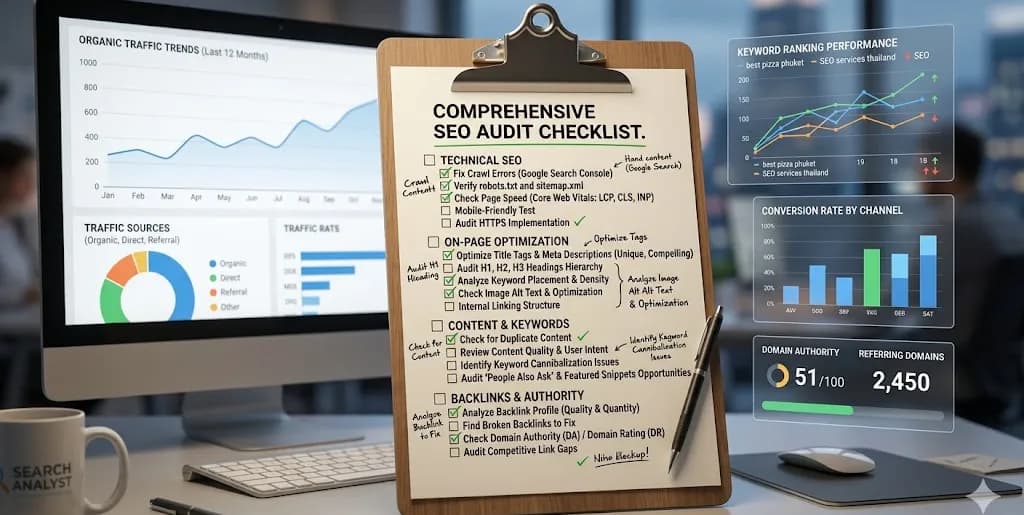
An SEO audit is a systematic review of a website's ability to rank in search engines and earn organic traffic. A good audit identifies the 20% of issues causing 80% of the performance gap, orders them by impact, and produces a ranked action list — not a 200-item report that nobody reads.
This checklist is organized in priority order. Start at the top. Do not move to on-page until technical is solid. Do not move to content until on-page is solid. The sequence matters because most sites waste months on content optimization while a crawl error is quietly blocking half their pages.
Before You Start: Gather the Inputs
You cannot audit what you cannot measure. Confirm access to:
- Google Search Console — at least 90 days of history
- Google Analytics 4 (or equivalent analytics)
- Bing Webmaster Tools (for Bing and Copilot visibility)
- A site crawler — Screaming Frog (free up to 500 URLs), Sitebulb, or an equivalent
- A keyword research tool — Ahrefs, Semrush, or similar
- Access to CMS and hosting for changes
- Historical content publish dates and redirect logs
Without Search Console history, you are auditing blind. Spend the first hour setting up proper measurement rather than rushing forward with assumptions.
Section 1: Technical SEO Audit
Technical issues silently cap everything downstream. Work through this list before touching content.
1.1 Crawlability and Indexability
- Check
robots.txtatyourdomain.com/robots.txt. Confirm nothing important is disallowed. A surprising number of production sites still block/blog/or/products/from a legacy staging config. See the robots.txt best practices guide. - Review
sitemap.xml. Every canonical URL you want indexed should be present. No 404s, no soft 404s, nonoindexpages in the sitemap. Submit to Search Console. - Inspect Search Console "Pages" report. Focus on the "Not indexed" section. Common issues: "Crawled - currently not indexed" (quality signal problem), "Discovered - currently not indexed" (crawl budget problem), "Duplicate without user-selected canonical" (canonical tag missing or conflicting).
- Run a full crawl with Screaming Frog. Filter by status code: flag all 4xx, 5xx, and redirect chains longer than 2 hops.
- Check for orphan pages — pages with no internal links pointing to them. They rarely rank and often should not exist.
1.2 Site Architecture
- Maximum click depth from homepage to any important page should be ≤ 3. Map the depth in Screaming Frog's "Crawl Depth" column.
- Confirm logical URL structure.
domain.com/blog/post-slugis good.domain.com/?p=123ordomain.com/category1/category2/category3/subcategory/postis not. - Audit internal linking. Every money page (pricing, product, high-value guide) should have ≥ 5 internal links from topically relevant content.
- Verify breadcrumb navigation exists on all non-homepage templates. Add BreadcrumbList schema.
1.3 Core Web Vitals and Performance
- Pull the Core Web Vitals report from Search Console. Targets: LCP < 2.5s, INP < 200ms, CLS < 0.1.
- Test with PageSpeed Insights on mobile and desktop for your top 10 pages by traffic.
- Common fixes that move the needle: compress images to WebP/AVIF, preconnect to critical origins, eliminate render-blocking JS, use
loading="lazy"for below-fold images, set explicit width/height on images to prevent layout shift. - Mobile usability — confirm no horizontal scroll, tap targets ≥ 48px, readable font size without zoom. See mobile-friendly ranking factors.
1.4 HTTPS and Security
- Every URL serves HTTPS. No mixed content warnings in browser console.
- HTTP → HTTPS redirects are 301, not 302.
- HSTS header is set (optional but recommended).
- Certificate auto-renewal is configured (expired certs are a weekly-reported outage cause).
1.5 Structured Data
- Validate all schema in Google's Rich Results Test and Schema.org validator.
- Confirm required schema per page type: Article/BlogPosting for blog posts, Product + Offer for product pages, Organization + LocalBusiness for local, FAQPage for FAQ content, BreadcrumbList everywhere. See fixing JSON-LD errors.
- Check Search Console "Enhancements" report for invalid schema warnings.
Section 2: On-Page SEO Audit
Once technical is clean, audit individual page optimization.
2.1 Title Tags and Meta Descriptions
- Every indexed page has a unique title tag — 50-60 characters, primary keyword near the front.
- Every indexed page has a unique meta description — 140-155 characters, includes a clear value proposition and CTA verb.
- Pull Search Console "Performance" by query. For pages with impressions but CTR below industry average (< 3% at position 5-10), rewrite titles to be more specific or benefit-driven.
- No duplicate titles or descriptions across the site — Screaming Frog flags these automatically.
2.2 Header Structure
- One H1 per page, matching or close to the title tag.
- Logical H2/H3 hierarchy. H3s nest under H2s; no skipping from H1 to H4.
- Headers use target keywords naturally. See how to structure H1 and H2 tags.
2.3 Content Quality Signals
- Word count matches intent. Transactional pages can be short (400-800 words). Informational queries often need 1,500-3,000 words to match the SERP.
- Readability — short paragraphs, descriptive subheads, scannable lists. Bounce rate above 80% usually signals a readability or intent-mismatch problem.
- Freshness signals — publish and update dates are visible. Time-sensitive topics (pricing, tool comparisons, algorithm guides) are refreshed quarterly.
- Author bylines on all content with verifiable E-E-A-T signals — name, photo, bio, credentials, linked profiles.
2.4 Image and Media Optimization
- Every image has descriptive alt text. Decorative images can use
alt="". - File names are descriptive —
running-shoe-sole.webp, notIMG_4521.jpg. - Modern formats — WebP or AVIF preferred over JPEG/PNG.
- Images served at display size — no 4000px-wide images displayed at 800px.
2.5 Internal Linking
- Contextual internal links from body content using descriptive anchor text (not "click here").
- Each new post links to 3-5 existing relevant posts and earns 2-3 links from existing posts.
- No broken internal links. Screaming Frog flags these in the "Internal" → "Status Code" filter.
Section 3: Content Audit
Content audits are where most sites find their biggest wins — and their biggest liabilities.
3.1 Content Inventory
- Export all URLs with traffic, impressions, position, and publish date from Search Console.
- Tag each URL by type: pillar, cluster post, money page (pricing/demo/signup), glossary, news, legal.
- Identify three buckets: performing (double down), decaying (refresh), zombie (merge or remove).
3.2 Content Decay
- Flag pages with >30% traffic drop over the last 12 months. These are refresh candidates.
- Update with current data, new examples, and expanded sections. Change the
updateddate. - Re-promote refreshed content via internal links, email, and social.
- See the full content decay framework.
3.3 Thin and Duplicate Content
- Pages under 300 words with no commercial purpose — merge into a related longer guide or delete + 301 redirect.
- Near-duplicate pages (tag archives, paginated lists, similar topics) — consolidate.
- Keyword cannibalization — when two pages target the same primary keyword, merge them or differentiate intent. The weaker page should redirect to the stronger one.
3.4 Content Gaps
- Competitor keyword gap analysis — keywords where 2+ direct competitors rank but you don't. Prioritize by commercial intent, not volume.
- SERP feature gaps — queries where you rank top 10 but don't own the featured snippet, PAA box, or image pack. Optimize existing pages for these.
- People Also Ask mining — identify unanswered questions within your topic clusters.
Section 4: Backlink and Authority Audit
4.1 Backlink Health
- Export your full backlink profile from Ahrefs, Semrush, or Search Console links report.
- Flag toxic links — links from PBNs, spammy directories, link farms, or irrelevant domains with suspicious anchor patterns.
- Submit a disavow file only for manual action risks. Google claims to ignore most low-quality links automatically.
- Identify lost high-value links from the last 12 months. Outreach to recover them.
4.2 Authority Signals
- Brand mentions without links — find them with Google Alerts, Mention, or manual site: searches. Request a link where appropriate.
- Competitor backlink gap — sites linking to 2+ competitors but not you. These are warm outreach candidates.
- Unlinked internal resources — reports, tools, calculators that deserve links but have never been promoted.
4.3 E-E-A-T and Trust
- About page is substantive, with company history, team, address, and contact info.
- Author pages exist with credentials and social profile links.
- Citation consistency (NAP: Name, Address, Phone) for local/multi-location businesses across Google Business Profile, Yelp, Facebook, Apple Maps.
- Reviews and testimonials are current, specific, and ideally marked up with Review schema.
Section 5: UX and Conversion Audit
Traffic is not the goal. Revenue is. Audit the path from SERP click to conversion.
- SERP CTR per position range matches or exceeds industry benchmarks. If position 3-5 pages have < 5% CTR, titles and descriptions are the bottleneck.
- Time-on-page and scroll depth on money pages. Shallow engagement signals poor content-intent fit.
- Conversion funnel friction — forms with too many fields, unclear CTAs, slow-loading demo request pages.
- Navigation clarity — can a first-time visitor find your pricing page in one click?
- Accessibility baseline — keyboard navigation works, color contrast passes WCAG AA, form inputs have labels.
Section 6: AI Search and LLM Visibility
The SERP is expanding beyond Google's ten blue links. Audit your visibility in AI-native search surfaces.
- Manual check in ChatGPT, Perplexity, Gemini, and Copilot for your top 20 commercial queries. Are you mentioned? Are competitors?
- llms.txt is published at
/llms.txtwith a clear content policy. - Quotable definitions — each major guide opens with a clean "X is Y" sentence that LLMs can extract.
- Citation-friendly structure — short paragraphs, named frameworks, tables, and clear headings. See why LLMs aren't citing you.
- AI Overview tracking for target keywords — Google AI Overviews optimization.
Section 7: Analytics and Reporting Audit
An audit is worthless if you cannot measure the fix.
- GA4 configured with proper events (sign-up, demo request, purchase) and conversions marked.
- Search Console ↔ GA4 linked for integrated reporting.
- UTMs on external campaigns so organic-like traffic isn't misattributed.
- Goal tracking maps to revenue, not just sessions.
- Baseline report saved — you need to know the starting state to measure audit impact.
Prioritization: What to Fix First
A typical audit surfaces 50-150 issues. You cannot fix them all at once. Use this priority matrix:
| Priority | Issue Type | Examples |
|---|---|---|
| P0 — Fix this week | Blocks indexing or conversion | Noindex on money pages, 5xx errors, broken conversion forms, HTTPS misconfiguration |
| P1 — Fix this month | Caps performance on high-value pages | Missing canonical tags, slow LCP on top pages, duplicate titles, orphan money pages |
| P2 — Fix this quarter | Meaningful but diffuse impact | Thin content consolidation, internal linking improvements, schema expansion, image optimization |
| P3 — Ongoing | Continuous improvement work | Content refresh cadence, competitor gap monitoring, backlink outreach |
Do not spread effort evenly across sections. Two P0 fixes deliver more value than twenty P3 optimizations.
Audit Cadence
- Full audit: annually, or after a major redesign, migration, or algorithm update.
- Lightweight quarterly check-in: Search Console issues, Core Web Vitals, top-page performance, content decay candidates.
- Monthly monitoring: crawl errors, Core Web Vitals trends, new indexing issues, branded search health.
Frequently Asked Questions (FAQ)
Q1: How long does a full SEO audit take?
For a typical 500-5,000 page site, 3-5 working days for a senior auditor to produce a prioritized action report. Remediation (actually fixing the issues) takes 4-12 weeks depending on engineering and content bandwidth.
Q2: Is a free SEO audit report worth it?
Usually no. Free audits from most SEO agencies are automated scans that flag hundreds of low-impact issues as "critical" to create urgency. A useful audit requires manual review of intent, conversion paths, and competitive context — which does not happen in a free 10-minute scan.
Q3: Should I audit my site or hire someone?
Audit yourself if you have the technical context to act on findings. Hire an external auditor if you need a second opinion, if nobody on your team has audited before, or if you need political cover to prioritize SEO work that internal teams have been deprioritizing.
Q4: What's the difference between a technical SEO audit and a full SEO audit?
A technical audit covers Sections 1 and parts of 2 in this checklist — crawl, index, performance, schema. A full audit also includes content quality, backlinks, UX, and analytics. For most growing sites, technical alone leaves 60% of the opportunity on the table.
References
- Google Search Central: SEO Starter Guide
- Google Search Central: How Search Works
- Google Search Console help
- Core Web Vitals on web.dev