
Canonical Tag: What It Is and How to Use It
Learn what a canonical tag does, when to use it, how to implement it, and which canonical mistakes cause SEO problems.
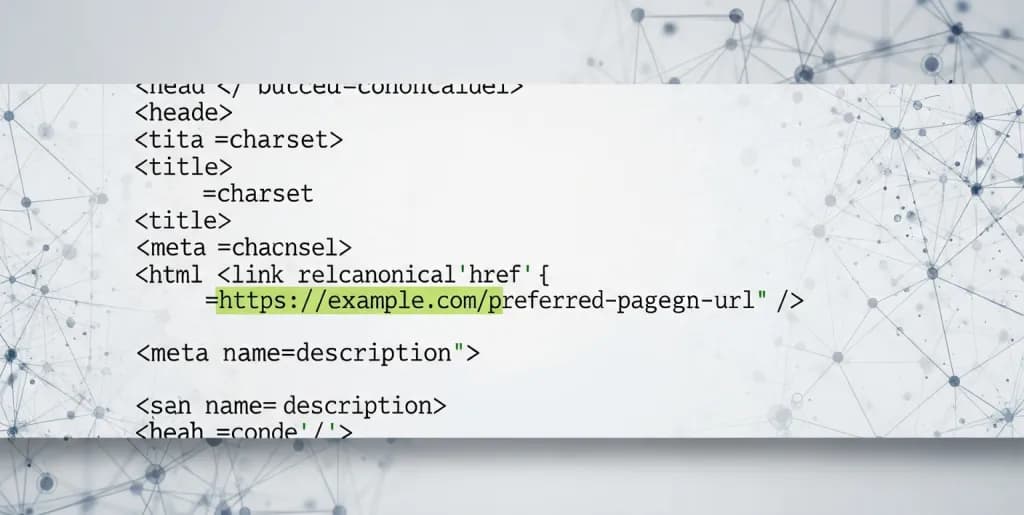
A canonical tag tells search engines which URL you want treated as the preferred version when multiple URLs contain the same or very similar content. It helps consolidate indexing and ranking signals, but only when it is used consistently and points to a URL that truly should win.
This guide explains what a canonical tag does, when to use it, how to implement it, and where teams get into trouble by treating canonicals as a shortcut for broader indexing problems.
Understanding the Canonical Tag: Your Guide to SEO Clarity
The canonical tag, formally known as rel="canonical", is an HTML link attribute that specifies the "canonical" or preferred version of a web page. Think of it as a strong hint to search engines, indicating which URL represents the master copy among a set of identical or very similar pages. When multiple URLs exist for the same content, the canonical tag helps search engines understand your preference. It prevents issues arising from duplicate content, a pervasive problem that can significantly undermine SEO efforts.
Search engines, like Google, strive to provide users with the most relevant and unique content. When they encounter several URLs displaying the same information, they must choose one to index and display in search results. Without a canonical tag, search engines might make this decision independently, potentially choosing a less optimal URL or splitting the ranking authority across multiple versions. This can lead to diluted link equity, wasted crawl budget, and ultimately, lower visibility for your content.
How the Canonical Tag Works: Guiding Search Engine Interpretation
When a search engine bot, such as Googlebot, crawls a page containing a canonical tag, it interprets this as a strong suggestion. The tag points to the URL that you, as the site owner, consider the original and most authoritative version of that content. The search engine then typically consolidates all ranking signals—like backlinks, social shares, and user engagement metrics—from the duplicate pages onto the specified canonical URL. This process ensures that the collective SEO value of your content is concentrated on a single, preferred page.
It's important to understand that the canonical tag is a "hint," not an absolute directive. While search engines generally honor the canonical tag, they retain the right to make their own judgment if they believe a different URL is a better canonical. However, in most well-implemented scenarios, your specified canonical will be respected. This mechanism streamlines the indexing process, making it more efficient for search engines and more beneficial for your site's SEO.
Syntax and Placement: Where to Put Your Canonical Tag
The canonical tag is a snippet of HTML code placed within the <head> section of a web page. Its syntax is straightforward:
<link rel="canonical" href="https://www.example.com/preferred-page/" />
Here, rel="canonical" identifies the link as a canonical tag, and href="https://www.example.com/preferred-page/" specifies the absolute URL of the preferred version of the page.
For proper functionality, this tag must reside exclusively within the <head> section of your HTML document. Placing it in the <body> will cause search engines to ignore it, rendering it ineffective. Each page should ideally have only one canonical tag. Multiple canonical tags on a single page can create conflicting signals for search engines, leading to unpredictable indexing behavior. Always ensure the URL specified in the href attribute is an absolute URL, including the full protocol (http:// or https://) and domain name.
Why it Matters: Consolidating Your SEO Power
The importance of the canonical tag for SEO cannot be overstated. It directly addresses several critical aspects of search engine optimization:
- Crawl Budget Optimization: Search engines have a finite "crawl budget" for each website, representing the number of pages they will crawl within a given timeframe. Duplicate content wastes this budget, as bots spend time crawling identical pages instead of discovering new or updated unique content. Canonical tags direct crawlers to your preferred pages, ensuring efficient use of your crawl budget.
- Consolidated Link Equity: When multiple versions of a page exist, any backlinks pointing to those duplicate URLs might have their value split. The canonical tag consolidates this "link equity" onto the designated canonical URL. This strengthens the authority of your preferred page, helping it rank higher.
- Clear Ranking Signals: Without a clear canonical, search engines might struggle to decide which version of a page is most relevant for a given query. This confusion can lead to lower rankings or inconsistent visibility. The canonical tag provides clarity, focusing all ranking signals on the single, authoritative version.
- Improved Analytics: By ensuring that traffic and engagement metrics are attributed to a single, canonical URL, you gain a clearer and more accurate understanding of your content's performance. This streamlines reporting and analysis, allowing for better data-driven decisions.
By leveraging the canonical tag, you proactively manage how search engines perceive and process your website's content. This strategic control is fundamental for maximizing your organic search performance and maintaining a robust online presence.
The Duplicate Content Dilemma: Why Canonicalization is Essential
Duplicate content is a pervasive challenge on the web, often occurring unintentionally. It refers to blocks of content that are identical or substantially similar across multiple URLs, either within the same domain or across different domains. While not inherently a penalty-inducing issue, duplicate content can significantly hinder a website's SEO performance. Search engines aim to provide unique and valuable results to users. When faced with duplicate content, they struggle to determine which version is the most relevant, authoritative, and deserving of a top ranking.
This ambiguity creates several problems for search engines. They must decide which version to include in their index, which version to rank for relevant queries, and whether to consolidate link signals and other ranking factors across the duplicate pages. Without explicit guidance, search engines might make suboptimal choices, leading to diluted authority, wasted resources, and ultimately, a poorer user experience. Canonicalization, through the use of the canonical tag, provides this essential guidance, resolving the duplicate content dilemma.
What is Duplicate Content? Unpacking Its Various Forms
Duplicate content manifests in many ways, some obvious and others more subtle. Recognizing these common scenarios is the first step toward effective canonicalization:
- WWW vs. Non-WWW and HTTP vs. HTTPS: A website might be accessible via
http://example.com,https://example.com,http://www.example.com, andhttps://www.example.com. If all these URLs display the same content, they are duplicates. Modern SEO best practices mandate HTTPS and a single preferred domain (e.g.,wwwor non-www). - Trailing Slashes: Some servers treat
example.com/pageandexample.com/page/as distinct URLs, even though they display identical content. - URL Parameters: E-commerce sites, in particular, generate numerous URLs with parameters for tracking, filtering, sorting, or session IDs. For instance,
example.com/products?color=red,example.com/products?sort=price_asc, andexample.com/products?sessionid=xyzmight all show the same base product listing. - Print Versions: Many sites offer printer-friendly versions of pages, often accessible via a different URL (e.g.,
example.com/article?print=true). These are duplicates of the main article page. - Category and Tag Pages: Content management systems (CMS) often list the same article under multiple categories or tags, creating distinct URLs for each listing.
- Syndicated Content: When your content is published on other websites (e.g., news aggregators, partner sites), or you publish content from others, without proper canonicalization, search engines might struggle to identify the original source.
- Mobile Versions: While less common with responsive design, some sites maintain separate
m.subdomains or/?mobile=trueURLs for mobile users, creating duplicates of their desktop counterparts. - Default Pages: Accessing a directory like
example.com/foldermight display the same content asexample.com/folder/index.html. - Case Sensitivity: In some server configurations,
example.com/Pageandexample.com/pagecan be treated as different URLs.
Each of these scenarios presents an opportunity for search engines to encounter duplicate content, highlighting the critical need for a robust canonicalization strategy.
The SEO Impact of Duplicate Content: Why It's a Problem
Ignoring duplicate content issues can have several detrimental effects on your website's SEO performance:
- Crawl Budget Waste: Search engine bots have a limited crawl budget for each site. If a significant portion of your site consists of duplicate content, bots will spend valuable time crawling these redundant pages instead of discovering and indexing new, unique, or updated content. This inefficiency can delay the indexing of important pages and slow down overall site updates.
- Diluted Link Equity: Backlinks are a powerful ranking signal. When multiple URLs display the same content, any backlinks pointing to these duplicate versions can have their value fragmented. Instead of all link equity consolidating on a single, authoritative page, it gets spread across several, weaker versions. This dilution prevents any one page from accumulating enough authority to rank optimally.
- Confused Search Engines: Search engines strive to present the best possible result for a user's query. When multiple identical pages exist, the search engine becomes "confused" about which version to rank. This uncertainty can lead to inconsistent rankings, or even worse, the search engine might choose a version you don't prefer, such as a URL with tracking parameters.
- Lower Rankings and Visibility: The combined effect of wasted crawl budget, diluted link equity, and search engine confusion often results in lower rankings and reduced organic visibility. Your valuable content might not surface as prominently as it deserves, directly impacting traffic and conversions.
- User Experience Issues: While less direct, duplicate content can indirectly impact user experience. If users land on a URL with unnecessary parameters or an unoptimized version of a page, it might lead to a less polished experience. Furthermore, seeing multiple identical results in search can be frustrating.
By addressing duplicate content through proper canonicalization, you provide clear instructions to search engines, ensuring they understand your preferred content, efficiently crawl your site, consolidate link equity, and ultimately, present your best content to users. This proactive approach is fundamental to maintaining a healthy and high-performing website in search results.
Beyond Duplication: Advanced Use Cases for the Canonical Tag
While the primary role of the canonical tag is to manage duplicate content, its utility extends to several advanced scenarios where you need to guide search engines on content preference, even when the content isn't strictly identical. These applications demonstrate the strategic power of canonicalization in complex web environments.
Cross-Domain Canonicalization: Managing Syndicated Content
One of the most powerful advanced uses of the canonical tag is for cross-domain canonicalization. This is particularly relevant for content creators who syndicate their articles to other websites, or for news organizations that publish content across a network of sites. Without proper canonicalization, syndicated content can lead to the "original" source being outranked by the syndicated versions, or worse, both versions struggling to rank due to perceived duplication.
By placing a canonical tag on the syndicated version that points back to the original article on your domain, you explicitly tell search engines that your site is the preferred source. This ensures that all link equity and ranking signals generated by the syndicated content are attributed back to your original page, preserving its authority and helping it rank. This is a crucial strategy for protecting your intellectual property and maximizing the SEO value of your content when it appears elsewhere on the web.
E-commerce Product Variations: Streamlining Product Pages
E-commerce websites often present a single product with multiple variations, such as different colors, sizes, or materials. Each variation might have its own URL (e.g., example.com/product-a?color=red, example.com/product-a?color=blue). While these pages display largely the same product information, they are technically distinct URLs.
In such cases, you can use canonical tags to point all product variation URLs to a single, preferred product page (e.g., example.com/product-a). This consolidates the SEO value of all variations onto one page, making it stronger in search results. You might choose the most popular variation, the default product page, or a "view all" page as your canonical. This approach streamlines indexing and ensures that search engines don't get bogged down by numerous, near-identical product pages.
A/B Testing Pages: Preserving Test Integrity
A/B testing involves creating different versions of a page to test which performs better in terms of user engagement or conversion rates. These test versions are, by nature, duplicates. If search engines were to index both the original and the test variations, it could dilute your SEO efforts and potentially expose test pages prematurely.
When running A/B tests, implement a canonical tag on all test variations that points back to the original, non-test version of the page. This tells search engines that the original page is the one they should index and rank, while still allowing you to conduct your experiments without SEO repercussions. Once a winning variation is identified and implemented, the canonical tag on the old version can be updated or removed as needed.
Pagination: Consolidating Series Content
For content that spans multiple pages, such as blog archives, article series, or forum threads, pagination is common. While rel="next" and rel="prev" attributes were once used, Google has indicated they no longer use these for indexing. Instead, canonicalization offers a robust solution.
You have a few options:
- Canonicalize to a "View All" Page: If your site offers a "view all" version of the paginated series (e.g.,
example.com/article-series/view-all), you can canonicalize all individual paginated pages (e.g.,example.com/article-series/page/1,example.com/article-series/page/2) to this single "view all" URL. This consolidates the SEO value of the entire series onto one comprehensive page. - Self-Referencing on Each Page: If a "view all" page isn't feasible or desirable, each paginated page should generally have a self-referencing canonical tag. This tells search engines that each page in the series is a distinct, indexable entity. Google is smart enough to understand paginated content, but ensuring each page points to itself as the canonical is a safe default.
The choice depends on whether the individual paginated pages offer unique value or if the "view all" version is truly the most comprehensive and preferred experience.
International Targeting (Hreflang in Conjunction): Global Clarity
While hreflang tags specify language and regional variations of content, they work best when combined with canonical tags. For example, if you have example.com/en-us/page for US English and example.com/en-gb/page for UK English, both pages should have self-referencing canonical tags. Additionally, they should both link to each other using hreflang tags.
The canonical tag ensures that within each language/region variant, search engines understand the preferred URL if there are any internal duplicates (e.g., example.com/en-us/page?tracking=xyz). The hreflang then tells search engines which version to serve to users in different locales. Together, they provide comprehensive guidance for international SEO, preventing duplicate content issues across language versions while ensuring the right content reaches the right audience.
Mobile Versions (Legacy): Guiding Mobile-Specific Content
Before the widespread adoption of responsive web design, many websites maintained separate mobile-specific versions of their pages, often on an m. subdomain (e.g., m.example.com/page). These mobile pages were essentially duplicates of their desktop counterparts.
In such a setup, the mobile page (m.example.com/page) would contain a canonical tag pointing to the desktop version (www.example.com/page). Conversely, the desktop page would include a rel="alternate" tag pointing to the mobile version. This combination explicitly told search engines about the relationship between the two versions, ensuring the desktop version was the primary canonical for indexing while still recognizing the mobile version for mobile users. While less common now with mobile-first indexing and responsive design, understanding this application highlights the canonical tag's versatility in guiding search engines through complex site architectures.
These advanced applications demonstrate that the canonical tag is more than just a duplicate content fixer. It's a strategic tool for managing content relationships, preserving SEO value, and providing clear directives to search engines in a variety of complex web scenarios.
Implementing the Canonical Tag: A Step-by-Step Guide
Implementing the canonical tag correctly is crucial for its effectiveness. There are several methods available, and the best approach depends on your website's setup, the type of content, and your access to server configurations. Each method serves the same purpose: to signal your preferred URL to search engines.
Method 1: HTML <link rel="canonical">
This is the most common and straightforward method for implementing a canonical tag. It involves adding a specific line of HTML code within the <head> section of your web page.
How to Implement:
- Identify the Canonical URL: Determine the absolute URL of the page you want to be considered the primary, canonical version.
- Edit the HTML: Access the HTML code of the duplicate page(s).
- Insert the Tag: Place the following line of code within the
<head>section of each duplicate page:<link rel="canonical" href="https://www.example.com/preferred-page/" />Replace"https://www.example.com/preferred-page/"with your actual canonical URL.
Pros:
- Simple and Direct: Easy to implement for individual pages if you have direct access to the HTML.
- Widely Supported: Recognized and respected by all major search engines.
- Clear Visibility: The tag is easily visible in the page's source code, making verification straightforward.
Cons:
- Scalability Issues: Manually adding this tag to hundreds or thousands of pages is impractical and prone to errors.
- Requires HTML Access: Not suitable for non-HTML documents like PDFs or if you don't have direct control over the page's
<head>.
Example:
If https://example.com/product?color=blue is a duplicate of https://example.com/product, the <head> of https://example.com/product?color=blue would contain:
<link rel="canonical" href="https://example.com/product/" />
Method 2: HTTP Header Link: <URL>; rel="canonical"
For documents that don't have an HTML <head> section, such as PDFs or other non-HTML files, or in situations where you prefer server-side control, you can specify the canonical URL using an HTTP header.
How to Implement:
- Identify the Canonical URL: Determine the absolute URL of the preferred version.
- Configure Your Server: This requires access to your server's configuration files (e.g.,
.htaccessfor Apache, Nginx configuration files) or your web application's server-side logic. - Add the Header: You'll add a
LinkHTTP header to the response for the duplicate page.Link: <https://www.example.com/preferred-page/>; rel="canonical"
Pros:
- For Non-HTML Content: The only viable option for canonicalizing PDFs, images, or other file types.
- Server-Side Control: Centralized management can be more scalable for certain scenarios.
Cons:
- Technical Complexity: Requires server administration knowledge and access.
- Debugging Can Be Harder: Not as easily visible as an HTML tag; requires checking HTTP response headers.
Example (Apache .htaccess):
<Files "duplicate-document.pdf">
  Header add Link "<https://www.example.com/preferred-document.pdf>; rel=\"canonical\""
</Files>
Method 3: CMS-Specific Implementations
Most modern Content Management Systems (CMS) and e-commerce platforms offer built-in or plugin-based solutions for managing canonical tags, simplifying the process significantly.
- WordPress: Popular SEO plugins like Yoast SEO and Rank Math provide easy interfaces to set canonical URLs. By default, these plugins often implement self-referencing canonicals for all posts and pages. For custom canonicals, you can typically find an "Advanced" or "SEO" section in the page/post editor to specify a different canonical URL.
- Example (Yoast SEO): In the page editor, scroll to the Yoast SEO box, click the "Advanced" tab, and enter the desired canonical URL in the "Canonical URL" field.
- Shopify: Shopify generally handles canonicalization automatically, implementing self-referencing canonicals for product pages, collection pages, and blog posts. It also smartly handles canonicals for product variations. For specific overrides, you might need to edit
theme.liquidor use an app. - Other Platforms (e.g., Magento, Drupal, Joomla): These platforms often have extensions, modules, or built-in settings that allow for canonical tag management. Consult your platform's documentation or community for specific instructions.
Pros:
- User-Friendly: Simplifies canonicalization for non-developers.
- Scalable: Automates canonical tag generation for many page types.
- Reduces Errors: Built-in logic helps prevent common mistakes.
Cons:
- Less Control: May not offer the granular control needed for highly complex or unusual scenarios without custom development.
- Plugin Dependency: Relies on third-party plugins, which need to be kept updated.
Method 4: Server-Side Configuration (e.g., Apache, Nginx)
For developers and server administrators, canonical tags can be dynamically generated and inserted via server-side scripting languages (PHP, Python, Ruby, Node.js) or directly within web server configurations. This method offers the most flexibility and control.
How to Implement:
- Use Server-Side Logic: In your application's code, detect the current URL and determine the correct canonical URL based on your rules (e.g., remove tracking parameters, enforce HTTPS/WWW).
- Inject into HTML: Dynamically print the
<link rel="canonical" ...>tag into the<head>section of the generated HTML.
Pros:
- Maximum Flexibility: Allows for complex logic to determine canonicals based on various factors.
- Scalability: Can automate canonicalization across an entire site with precision.
- Centralized Control: Managed within your application's codebase.
Cons:
- Requires Development Skills: Not suitable for those without programming or server administration experience.
- Potential for Bugs: Incorrect logic can lead to widespread canonicalization errors.
Example (PHP):
<?php
// Determine the canonical URL based on your site's logic
$canonical_url = "https://www.example.com" . strtok($_SERVER['REQUEST_URI'], '?');
?>
<!DOCTYPE html>
<html lang="en">
<head>
    <meta charset="UTF-8">
    <title>My Page</title>
    <link rel="canonical" href="<?php echo htmlspecialchars($canonical_url); ?>" />
    <!-- Other head elements -->
</head>
<body>
    <!-- Page content -->
</body>
</html>
Choosing the right implementation method depends on your technical capabilities and the specific needs of your website. Regardless of the method, the goal remains consistent: to clearly communicate your preferred URL to search engines, ensuring optimal indexing and ranking.
Best Practices for Effective Canonical Tag Usage
Implementing canonical tags correctly is paramount for SEO success. While the concept seems simple, subtle missteps can lead to unintended consequences. Adhering to best practices ensures your canonicalization strategy is robust, effective, and aligns with search engine guidelines.
- Always Use Self-Referencing Canonicals: Every page on your website should ideally have a self-referencing canonical tag. This means a page
https://example.com/page-ashould have a canonical tag pointing tohttps://example.com/page-a. This practice explicitly declares that the current page is the preferred version of itself, even if no obvious duplicates exist. It acts as a protective measure against future accidental duplication (e.g., through tracking parameters) and provides clarity to search engines. - Employ Absolute URLs, Not Relative: Always use full, absolute URLs in your canonical tags. A relative URL like
/preferred-page/is ambiguous and can be misinterpreted by search engines. An absolute URL, such ashttps://www.example.com/preferred-page/, leaves no room for doubt about the target. - One Canonical Tag Per Page: A page must only contain a single canonical tag. Placing multiple
rel="canonical"tags within the<head>section of a document sends conflicting signals to search engines. This confusion can lead to search engines ignoring all canonical tags on that page or making an arbitrary choice, undermining your efforts. - Maintain Consistency (HTTPS, WWW/Non-WWW, Trailing Slashes): Ensure your canonical URLs are consistent with your preferred site configuration. If your site uses HTTPS, your canonicals should reflect
https://. If you preferwww.example.com, then all canonicals should point towwwversions. Similarly, decide on a consistent trailing slash policy (e.g.,example.com/page/vs.example.com/page) and apply it uniformly to your canonical URLs. Inconsistencies here can create new duplicate content issues. - Point to Indexable Pages: The URL specified in your canonical tag should always be an indexable page. Never canonicalize to a
noindexpage or a page that returns a404 (Not Found)or301 (Moved Permanently)status code. Canonicalizing to anoindexpage tells search engines to consolidate authority to a page they shouldn't index, effectively hiding your content. Canonicalizing to a404page sends search engines to a dead end. - Avoid Chaining Canonicals: Do not create a chain of canonicals where Page A canonicalizes to Page B, and Page B then canonicalizes to Page C. This creates an unclear and inefficient path for search engines. While they might eventually resolve the chain, it wastes crawl budget and can delay proper indexing. Always point directly to the ultimate canonical URL.
- Canonicalize to the Preferred Version: This seems obvious, but it's crucial. Ensure the canonical URL you specify is truly the version you want search engines to index and rank. This means it should be the most complete, highest-quality, and most user-friendly version of the content.
- Don't Mix Signals (Canonical vs. Noindex): Avoid placing both a
rel="canonical"tag and anoindexmeta tag on the same page, especially if the canonical points to a different page. This sends contradictory signals. If you want a page not to be indexed at all, usenoindex. If you want a page's value to consolidate elsewhere, userel="canonical". Do not use both on the same page aiming to be canonicalized. - Consider User Intent: When deciding on a canonical, think about the user experience. Which version of the page provides the best experience for the user? Which version is most likely to satisfy their search query? Your canonical choice should align with providing the best possible user experience.
- Regular Audits and Monitoring: Canonical tags are not a "set it and forget it" solution. Websites evolve, and configurations change. Regularly audit your canonical tags using tools like Google Search Console or third-party SEO crawlers to ensure they are correctly implemented and still pointing to the intended URLs. This proactive monitoring helps catch errors before they significantly impact your SEO.
By diligently following these best practices, you can leverage the canonical tag to its full potential, ensuring search engines efficiently crawl, index, and rank your preferred content, thereby maximizing your website's organic visibility and authority.
Common Canonical Tag Mistakes and How to Avoid Them
Even seasoned SEO professionals can occasionally trip up with canonical tags. A seemingly small error can have significant repercussions, leading to indexing issues, diluted link equity, and reduced organic visibility. Understanding these common mistakes is the first step toward avoiding them.
- Canonicalizing to a 404 (Not Found) Page: This is a critical error. If a canonical tag points to a page that returns a 404 status code, search engines will interpret this as a signal that the content doesn't exist. Not only will the duplicate page not pass its link equity, but the intended canonical page will also fail to be indexed or ranked, as it's perceived as missing.
- Avoidance: Always verify that the canonical URL is live and accessible. Regularly audit your canonicals for broken links.
- Canonicalizing to a Noindex Page: Similar to the 404 error, pointing a canonical tag to a page that has a
noindexmeta tag is contradictory. You're telling search engines to consolidate authority to a page that you simultaneously instruct them not to index. Google typically prioritizes thenoindexdirective, meaning your content might not appear in search results at all.- Avoidance: Ensure your canonical target pages are always indexable. If a page should not be indexed, use
noindexdirectly on that page, and do not use it as a canonical target.
- Avoidance: Ensure your canonical target pages are always indexable. If a page should not be indexed, use
- Chaining Canonicals (A -> B -> C): This occurs when Page A canonicalizes to Page B, and Page B then canonicalizes to Page C. This creates an unnecessary redirect chain for search engines. While Google might eventually follow the chain, it's inefficient, wastes crawl budget, and can delay the consolidation of signals.
- Avoidance: Always point the canonical tag directly to the ultimate preferred version of the content. If Page C is the canonical, Page A and Page B should both point directly to Page C.
- Using Relative URLs: Canonical tags require absolute URLs. A relative URL (e.g.,
/products/item-a/) can be misinterpreted, especially if the page is accessed via different subdomains or protocols.- Avoidance: Always use the full, absolute URL, including the protocol (
https://) and domain (www.example.com).
- Avoidance: Always use the full, absolute URL, including the protocol (
- Multiple Canonical Tags on One Page: A page should only ever have one
rel="canonical"tag in its<head>section. If multiple tags are present, search engines will likely ignore all of them, leading to unpredictable canonicalization. This often happens when multiple SEO plugins are active or manual tags conflict with CMS-generated ones.- Avoidance: Audit your page's source code to ensure only one canonical tag exists. If using a CMS, check plugin settings and theme files for conflicts.
- Canonicalizing Paginated Pages Incorrectly: For paginated series where each page contains unique content (e.g.,
page/2,page/3), canonicalizing all subsequent pages to the first page (page/1) is often incorrect. This tells search engines that only the content onpage/1is unique, effectively hiding the content onpage/2,page/3, etc., from the index.- Avoidance: For paginated series without a "view all" page, each paginated page should typically have a self-referencing canonical. If a "view all" page exists and is preferred, then all paginated pages can canonicalize to that "view all" page.
- Pointing to Irrelevant Content: Sometimes, due to misconfiguration, a canonical tag might point to a completely different page with unrelated content. This sends a strong, but incorrect, signal to search engines, potentially associating your page's ranking signals with irrelevant content or causing your page to be de-indexed.
- Avoidance: Double-check the
hrefattribute of your canonical tag to ensure it accurately reflects the preferred version of the same content.
- Avoidance: Double-check the
- Forgetting to Update After Migration: When migrating a site (e.g., from HTTP to HTTPS, or changing domain structure), it's common to overlook updating canonical tags. Old canonicals might still point to the HTTP version or the old domain, creating confusion and delaying the consolidation of authority on the new URLs.
- Avoidance: Include canonical tag review as a critical step in any site migration checklist.
- Canonicalizing All Mobile Pages to Desktop (if not responsive): While less common now, if you still maintain separate mobile pages on an
m.subdomain, canonicalizing allm.example.com/pagetowww.example.com/pagewithoutrel="alternate"tags on the desktop version can be problematic. This tells Google that only the desktop version is canonical, potentially hindering the mobile version's visibility for mobile users.- Avoidance: For separate mobile URLs, use a combination of
rel="canonical"on the mobile page pointing to desktop, andrel="alternate"on the desktop page pointing to mobile. However, responsive design is the preferred approach.
- Avoidance: For separate mobile URLs, use a combination of
By being aware of these common pitfalls and implementing robust verification processes, you can ensure your canonical tags effectively serve their purpose, contributing positively to your site's SEO health rather than creating unforeseen problems.
Verifying Your Canonical Tags: Tools and Techniques
Implementing canonical tags is only half the battle; verifying their correct application is equally critical. Incorrectly implemented canonicals can silently undermine your SEO efforts. Fortunately, several tools and techniques allow you to inspect and confirm that your canonical tags are functioning as intended.
Browser Inspect Element
For a quick, page-by-page check, your web browser's developer tools are invaluable. This method allows you to see the HTML source code of any page and confirm the presence and accuracy of the canonical tag.
How to Use:
- Open the Page: Navigate to the page you want to inspect in your browser.
- Right-Click and Inspect: Right-click anywhere on the page and select "Inspect" (or "Inspect Element"). This will open the developer tools panel.
- Navigate to Elements/Head: In the developer tools, go to the "Elements" tab. You'll see the page's HTML structure.
- Search for Canonical: Expand the
<head>section and look for a<link rel="canonical" ...>tag. Alternatively, use the search function (Ctrl+F or Cmd+F) within the Elements tab and type "canonical". - Verify the URL: Confirm that the
hrefattribute in the canonical tag points to the correct, absolute URL you intend as the canonical.
This method is excellent for spot-checking individual pages but isn't scalable for an entire website.
Google Search Console (URL Inspection Tool)
Google Search Console (GSC) is an indispensable tool for any website owner, providing direct insights into how Google perceives your site. Its URL Inspection Tool is particularly useful for canonical tag verification.
How to Use:
- Log into GSC: Access your Google Search Console account.
- Enter URL: In the search bar at the top, enter the URL of the page you want to inspect.
- Review Indexing Section: GSC will fetch the live URL data. Scroll down to the "Indexing" section.
- Check "Google-selected canonical":
- User-declared canonical: This shows the canonical URL that Google found on your page (if any).
- Google-selected canonical: This is the URL that Google has chosen as the canonical for this page.
- Match or Mismatch: Ideally, your "User-declared canonical" should match Google's "Google-selected canonical." If they differ, it indicates that Google is not honoring your canonical tag, suggesting a potential issue (e.g., your canonical points to a
noindexpage, or Google found a stronger signal elsewhere).
GSC provides a powerful way to see Google's perspective on your canonicalization, highlighting discrepancies that need attention.
SEO Audit Tools (Screaming Frog, Ahrefs, Semrush)
For comprehensive site-wide audits, specialized SEO crawling tools are essential. These tools can crawl your entire website and report on all canonical tags, identifying issues at scale.
- Screaming Frog SEO Spider: This desktop crawler is a favorite among SEOs.
- Crawl Your Site: Enter your website's URL and start the crawl.
- Canonical Tab: Once the crawl is complete, navigate to the "Canonicals" tab. This tab will list all pages, their declared canonicals, and identify issues like missing canonicals, canonicals pointing to 4xx/5xx pages, or canonical chains.
- Filter and Export: You can filter results to quickly spot problems and export the data for further analysis.
- Ahrefs Site Audit: Ahrefs' Site Audit tool, part of its web-based suite, offers a robust canonicalization report.
- Run a Site Audit: Set up and run a site audit for your domain.
- Review Reports: In the audit results, look for reports related to "Duplicate Content" or "Canonicals." Ahrefs will flag issues like pages with multiple canonicals, canonicals pointing to redirects, or canonicals pointing to non-indexable pages.
- Semrush Site Audit: Similar to Ahrefs, Semrush's Site Audit tool provides detailed reports on canonicalization.
- Start a Project: Create a project and run a site audit.
- Check "Canonicalization" Report: Semrush will highlight errors such as "Multiple canonical URLs," "Canonical points to redirect," or "Canonical points to 4XX/5XX page."
These tools are invaluable for identifying widespread canonicalization problems that manual checks would miss. They allow you to proactively manage your site's canonical strategy and ensure compliance.
Manual Checks for Edge Cases
While automated tools are powerful, sometimes a manual review of specific, complex scenarios is necessary.
- HTTP Response Headers: For canonicals implemented via HTTP headers, you'll need to use browser developer tools (Network tab) or command-line tools like
curlto inspect the actual HTTP response headers.curl -I https://www.example.com/duplicate-page.pdf(The-Iflag fetches headers only).- Look for the
Link:header containingrel="canonical".
- CMS Settings: If using a CMS, double-check the canonical settings within the administrative interface, especially after plugin updates or theme changes.
- Cross-Domain Canonicals: Manually visit the syndicated content page and check its source code to ensure the canonical tag correctly points back to your original domain.
A combination of these verification methods, from quick browser checks to comprehensive site audits, ensures that your canonical tags are correctly implemented and effectively guiding search engines, thereby safeguarding your SEO performance.
Canonical Tags vs. Other SEO Directives: A Clear Distinction
The canonical tag is a powerful tool, but it's not the only directive available for managing how search engines interact with your content. It's crucial to understand its distinct purpose compared to other common SEO directives like 301 redirects and noindex tags. Misusing or confusing these directives can lead to unintended consequences for your site's indexing and ranking.
Canonical Tag vs. 301 Redirect
Both canonical tags and 301 redirects deal with duplicate or preferred versions of content, but they operate very differently and serve distinct purposes.
-
301 Redirect (Permanent Redirect):
- Purpose: A 301 redirect is a server-side directive that permanently moves a page from one URL to another. When a user or search engine requests the old URL, the server automatically sends them to the new URL.
- User Experience: The user is immediately redirected to the new page. They never see the old URL or its content.
- Search Engine Impact: A 301 redirect passes nearly all (typically 90-99%) of the link equity from the old URL to the new URL. It tells search engines that the old page is gone forever and the new page is its definitive replacement. The old URL will eventually be de-indexed, and the new URL will be indexed.
- When to Use:
- When you've permanently moved a page to a new URL.
- When consolidating multiple old URLs into a single new URL.
- When enforcing a preferred domain (e.g., redirecting
httptohttps, ornon-wwwtowww). - When deleting a page and replacing it with another.
-
Canonical Tag (
rel="canonical"):- Purpose: A canonical tag is a hint to search engines, suggesting which URL is the preferred version among a set of identical or very similar pages. The content remains accessible at both the canonical and duplicate URLs.
- User Experience: The user remains on the URL they originally requested, even if it's a duplicate. There is no automatic redirection.
- Search Engine Impact: The canonical tag consolidates ranking signals (link equity, etc.) from duplicate pages onto the specified canonical URL. The duplicate pages might still be crawled, but they are unlikely to be indexed or shown in search results.
- When to Use:
- When duplicate content exists due to URL parameters (e.g., tracking codes, filter options).
- When content is syndicated across multiple domains.
- When managing product variations on e-commerce sites.
- When running A/B tests on different page versions.
- When you want to keep duplicate pages accessible to users but only have one indexed by search engines.
Key Distinction: A 301 redirect is a permanent move that changes the URL a user and search engine see. A canonical tag is a suggestion that keeps all URLs accessible but tells search engines which one to prioritize for indexing and ranking. If you want to eliminate a URL entirely, use a 301 redirect. If you need to keep multiple URLs live but consolidate their SEO value, use a canonical tag.
Canonical Tag vs. Noindex
The noindex meta tag is another directive that influences how search engines handle your pages, but its goal is fundamentally different from a canonical tag.
-
Noindex Meta Tag (
<meta name="robots" content="noindex">):- Purpose: This meta tag explicitly tells search engines not to include a specific page in their index.
- User Experience: The page remains accessible to users if they have the direct URL.
- Search Engine Impact: Search engines will crawl the page, see the
noindexdirective, and then remove or prevent the page from entering their index. Over time, all link equity to anoindexpage will be lost, as it's not considered part of the index. - When to Use:
- For pages you absolutely do not want to appear in search results (e.g., thank you pages, internal search results, login pages, staging environments).
- When you want to prevent a page from passing any link equity.
-
Canonical Tag (
rel="canonical"):- Purpose: As discussed, it suggests the preferred version for indexing and ranking among duplicates, consolidating link equity. It does not prevent a page from being indexed; it merely directs search engines to index a different preferred version.
- User Experience: The page remains accessible.
- Search Engine Impact: The page might still be crawled, but its ranking signals are attributed to the canonical URL. The non-canonical duplicate is unlikely to be indexed or shown in search results. Link equity is passed to the canonical.
- When to Use: When you have duplicate content and want to consolidate SEO value on one version while keeping others accessible.
Key Distinction: Noindex tells search engines to not index this page at all. A canonical tag tells search engines which version of this content to index. You should never place both a noindex tag and a canonical tag on the same page if the canonical points to a different URL. This creates conflicting signals. If a page should not be indexed, use noindex. If it's a duplicate that should pass value to another page, use rel="canonical".
Canonical Tag vs. Hreflang
Hreflang tags are used for international and multilingual SEO, specifying language and regional variations of content. While they don't directly prevent duplicate content, they work in conjunction with canonical tags to provide comprehensive guidance.
-
Hreflang Tag (
rel="alternate" hreflang="x"):- Purpose: Informs search engines about the relationship between pages that target different languages or geographical regions. It helps search engines serve the correct language/regional version of a page to users based on their location and language preferences.
- Search Engine Impact: Prevents language/region-specific pages from being treated as duplicates. It ensures the right version appears in the right search results.
- When to Use: For websites with content translated into multiple languages or adapted for different regions (e.g.,
example.com/en-usfor US English,example.com/en-gbfor UK English).
-
Canonical Tag (
rel="canonical"):- Purpose: Within each language/region variant, the canonical tag addresses internal duplicate content issues (e.g.,
example.com/en-us?tracking=xyzvs.example.com/en-us). - Search Engine Impact: Ensures that for each specific language/region, only the preferred URL is indexed, consolidating its SEO value.
- Purpose: Within each language/region variant, the canonical tag addresses internal duplicate content issues (e.g.,
Key Distinction: Hreflang defines the relationship between different language/region versions of a page. The canonical tag defines the preferred version within a single language/region. For international sites, it's best practice for each hreflang page to have a self-referencing canonical tag, in addition to the hreflang tags pointing to its alternate language/region versions. This ensures clarity for both internal duplicates and international targeting.
Understanding these distinctions is fundamental to building a robust SEO strategy. Each directive serves a specific purpose, and their correct application ensures search engines efficiently process your site, leading to optimal visibility and performance.
Frequently Asked Questions (FAQ)
Q1: Can a canonical tag point to a different domain?
Yes. Cross-domain canonicals are valid, especially for content syndication or controlled duplication across owned properties. The target should be the true preferred source page, not a loosely related substitute.
Q2: Should every indexable page have a canonical tag?
In most cases, yes. A self-referencing canonical helps confirm the preferred version of a page even when no obvious duplicate exists. It is a simple way to keep canonical signals consistent.
Q3: What is the main difference between a canonical tag and a 301 redirect?
A canonical tag keeps the current URL accessible while suggesting which version should be indexed. A 301 redirect moves users and crawlers to a different URL entirely. Use a redirect when the old URL should no longer exist as a destination.
Q4: Can I use a canonical tag to point to a page on a different domain?
Yes, cross-domain canonicalization is a valid use case, particularly for syndicated content, where you want to attribute the SEO value of content published elsewhere back to your original source.
Q5: What happens if I have multiple canonical tags on one page?
Search engines will likely ignore all canonical tags on that page, as they receive conflicting signals, leading to unpredictable indexing behavior.
Q6: Should every page on my website have a canonical tag?
Yes, it's a best practice for every page to have a self-referencing canonical tag, explicitly declaring itself as the preferred version, even if no obvious duplicates exist.