
How to Track Brand Mentions in ChatGPT
Learn how to track brand mentions in ChatGPT using repeatable prompt sets, clean test conditions, and simple reporting.
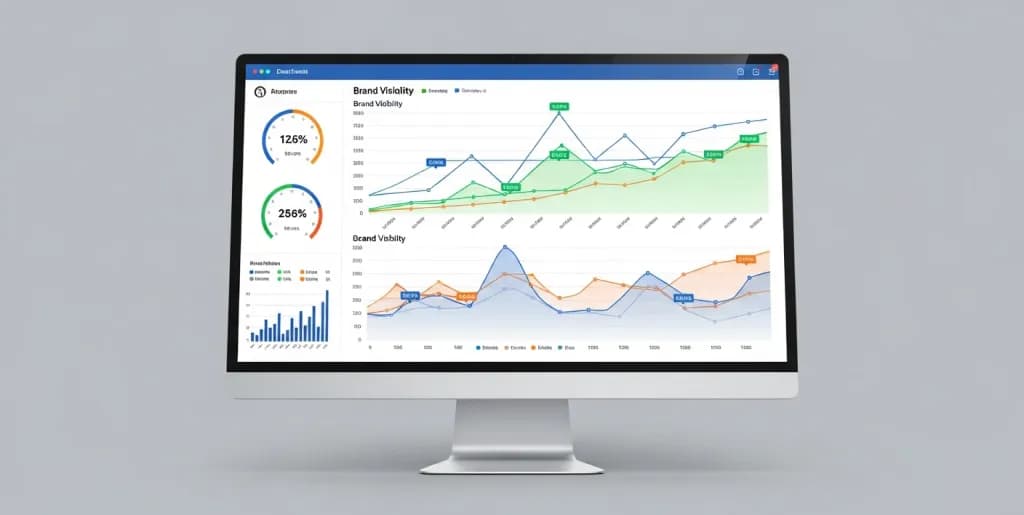
Tracking brand mentions in ChatGPT means running a consistent set of prompts over time and logging whether your brand appears, how it is described, and which competitors appear instead. The point is not to get a perfect “search volume” metric. The point is to build a repeatable visibility baseline.
Because ChatGPT responses can vary, you need controlled prompts, consistent test conditions, and a simple reporting method that focuses on patterns instead of one-off outputs.
This guide explains how to set up that process and what to watch for in the results.
Understanding How to Track Brand Mentions in ChatGPT
Learning how to track brand mentions in ChatGPT requires moving away from traditional keyword tracking tools. You cannot rely on a centralized dashboard like Google Search Console. You must build your own testing environment.
Generative AI models do not retrieve links from a database. They predict the next logical word in a sequence based on their training data. You must query the model repeatedly using specific, controlled prompts to understand its internal associations regarding your brand.
Treat the language model as a black-box search engine. Input standardized queries. Record the outputs systematically. Analyze the frequency and context of your brand's appearance in those outputs. This process forms the foundation of Generative Engine Optimization (GEO).
The Challenges of Tracking ChatGPT Responses
Tracking brand visibility in generative AI presents unique technical hurdles. You must account for these variables to generate reliable data.
Non-Deterministic Outputs
Language models are inherently non-deterministic. Ask ChatGPT the exact same question twice, and you will likely receive two different answers. The model uses a parameter called temperature to control randomness.
Higher temperature settings produce more creative, varied responses. Lower temperature settings produce more focused, deterministic outputs. Standard consumer-facing ChatGPT operates with a variable temperature. This makes manual testing inconsistent. You cannot guarantee that a brand mention on Monday will reappear on Tuesday.
The Absence of Traditional Analytics
Search engines provide exact search volumes and click-through rates. OpenAI provides no public analytics regarding user queries. You cannot know how many users ask ChatGPT about your specific brand.
You must rely on proxy metrics. Track your brand's inclusion in broad industry queries instead of exact-match brand searches. Measure your Share of Voice (SOV) within generated lists of top software, services, or products in your niche.
Context Window Limitations
ChatGPT remembers previous interactions within a single conversation thread. This memory is called the context window. If you ask ChatGPT about your brand, and then ask it for a list of top industry tools, it will likely include your brand in that list.
The model biases its current response based on your previous prompts. You must conduct all brand tracking tests in fresh, isolated sessions. Failing to clear the context window corrupts your tracking data.
Model Updates and Training Data Cutoffs
OpenAI updates its models continuously. A model trained up to August 2025 lacks knowledge of product launches in late 2025. You must track which specific model version you are querying.
GPT-4, GPT-5, and GPT-5.4 possess different training weights and reasoning capabilities. A brand highly recommended by GPT-4 might be ignored by GPT-5. Document the exact model version for every tracked mention.
Hallucinations and Factual Inaccuracies
Language models occasionally invent information. This phenomenon is known as a hallucination. ChatGPT might attribute a competitor's feature to your brand. It might invent a non-existent pricing tier.
You must track the accuracy of the mention alongside the mention itself. A positive brand mention loses its value if it misinforms the user about your core capabilities.
Creating Standardized Testing Prompts
Consistent inputs generate trackable outputs. You must develop a standardized library of prompts to monitor your brand effectively. Do not rely on ad-hoc questioning.
Defining Your Prompt Matrix
Build a prompt matrix that covers different stages of the user journey. Categorize your prompts to isolate specific types of brand mentions.
Create lists of informational, navigational, transactional, and comparative prompts.
- Informational Prompts: "What are the best practices for [Industry Process]?"
- Navigational Prompts: "Which companies specialize in [Specific Niche]?"
- Transactional Prompts: "What are the top-rated tools for [Specific Task] under $100?"
- Comparative Prompts: "Compare [Competitor A] and [Competitor B] for enterprise use."
Run these identical prompts on a weekly or monthly schedule. Record the changes in the outputs over time.
Zero-Shot vs. Few-Shot Prompting
Use zero-shot prompting for baseline brand awareness tests. Provide the model with no prior context or examples. Ask a direct question: "Name five reliable CRM platforms for small businesses." This tests the model's raw, unprompted associations.
Use few-shot prompting to test specific feature associations. Provide the model with examples of the output format you expect. This forces the model to evaluate your brand against specific criteria, rather than just listing popular names.
Persona-Based Prompting
Users query ChatGPT from different perspectives. A technical user asks different questions than a financial buyer. Instruct the model to adopt specific personas before answering your tracking prompts.
Add a system instruction to your prompt: "Act as a Chief Information Security Officer evaluating new vendors." Record how the brand mentions shift based on the requested persona. Your brand might dominate developer-focused queries but disappear in executive-focused queries.
Structuring Prompt Variations
Do not rely on a single phrasing for a query. Users ask the same question in dozens of ways. Create semantic variations of your core tracking prompts.
If your core prompt is "Best email marketing software," create variations like:
- "Top platforms for sending newsletters."
- "Highest rated email automation tools."
- "Which software should I use for mass email campaigns?"
Track your brand's appearance across all variations to calculate a comprehensive visibility score.
Real-World Case Study: SaaS Brand Visibility Test
A mid-size project management SaaS company observed a drop in traditional organic traffic. They suspected users were shifting to AI tools for software recommendations. They built a matrix of 50 industry-specific prompts.
They queried ChatGPT manually using these 50 prompts every Friday for a month. They cleared the cache and started a new chat for every single prompt. They discovered their brand was mentioned in only 12% of generic "best project management tool" queries. However, they appeared in 85% of queries specifically mentioning "agile workflows for remote teams."
They used this data to pivot their digital PR strategy. They stopped competing for generic terms and focused entirely on publishing authoritative content about remote agile methodologies. Six months later, their overall AI mention rate increased to 34%.
Using API Integrations for Automated Tracking
Manual tracking is inefficient and prone to human error. You cannot manually run hundreds of prompt variations every week. You must automate the process using the OpenAI API.
Automating your tracking allows you to control the temperature, isolate the context window, and scale your testing matrix.
Setting Up Your OpenAI API Environment
Create an account on the OpenAI Developer Platform. Navigate to the API keys section. Generate a new secret key. Store this key securely in a password manager or environment variable. Do not hardcode this key into your scripts.
Set up a billing account. API queries incur costs based on token usage. Tracking brand mentions requires processing thousands of tokens weekly. Monitor your usage limits to prevent script failures.
Choosing the Right Programming Language
Python is the industry standard for interacting with language model APIs. It offers robust libraries for data manipulation and API requests. Install Python on your local machine or set up a cloud-based environment like Google Colab.
Install the necessary libraries using your terminal:
pip install openai pandas python-dotenv schedule
These libraries allow you to query the API, manage your secret keys, structure the output data, and schedule automated runs.
Designing the Python Tracking Script
Build a script that reads your prompt matrix from a CSV file, sends each prompt to the API, and records the response.
Initialize the OpenAI client in your script. Load your API key from your .env file. Create a function that accepts a prompt string and returns the model's text response.
Configure the API call parameters strictly. Set the model parameter to your target version (e.g., gpt-4-turbo). Set the temperature parameter to 0.0. A temperature of zero forces the model to return its most probable, deterministic response. This is crucial for tracking baseline brand visibility.
Structuring the API Call
Your API call must isolate the context for every prompt. Do not pass previous messages in the messages array. Send only a system prompt and the specific user prompt you are testing.
Define the system prompt clearly: "You are an objective industry analyst providing accurate, unbiased software recommendations." Define the user prompt dynamically by looping through your prompt matrix CSV.
Extract the content from the API response object. Append this text, along with the date, the specific prompt, and the model version, to a new data structure.
Handling Rate Limits and Error Codes
The OpenAI API enforces rate limits. If you send too many requests too quickly, the API will return a 429 error code. Your script will crash.
Implement exponential backoff and retry logic. Use a Python library like tenacity. If the script encounters a rate limit error, instruct it to pause for five seconds, then retry. If it fails again, pause for ten seconds.
Handle timeout errors gracefully. If the model takes too long to generate a response, log the error in your database and move to the next prompt. Do not let one failed prompt halt your entire tracking operation.
Storing the Output Data
Do not print the outputs to your console. You must store the data persistently for historical analysis.
Use the pandas library to convert your results into a DataFrame. Export this DataFrame to a new CSV file after every automated run. Append a timestamp to the filename to maintain a chronological archive.
For enterprise-level tracking, connect your Python script to a relational database. Use SQLite for local storage or PostgreSQL for cloud environments. Create a dedicated table with columns for Date, Prompt_ID, Model_Version, Raw_Response, and Processing_Status.
Scheduling Automated Runs
Run your tracking script on a consistent schedule. Consistency ensures your data reflects actual changes in the model's behavior over time.
Use the schedule library in Python to run the script automatically. Configure it to execute every Monday at 2:00 AM. Alternatively, use system-level schedulers like Cron on Linux or Task Scheduler on Windows.
For a fully automated, cloud-based solution, deploy your script using GitHub Actions. Create a workflow file that triggers the Python script on a cron schedule. Store your API keys as encrypted GitHub Secrets. This eliminates the need to keep your local machine running.
Expanding the API Script for Multiple Models
Do not limit your tracking to a single model. Users interact with various versions of ChatGPT. Modify your script to loop through multiple models for every prompt.
Test gpt-4.1, gpt-5, and gpt-5.4 simultaneously. Compare the outputs. You will often find that newer, more capable models recommend different brands than older, smaller models. Tracking these discrepancies helps you understand how model architecture impacts brand visibility.
Managing Token Costs
Automated tracking consumes tokens rapidly. Calculate your estimated costs before deploying a large prompt matrix.
Count the average number of tokens in your prompts. Estimate the average token length of the expected responses. Multiply this by the number of prompts and the number of models you are testing. Review OpenAI's pricing page to calculate the weekly cost.
Optimize your prompts to reduce token usage. Ask the model to return concise lists rather than detailed paragraphs. Instruct the API to limit the max_tokens parameter in the response.
Analyzing Mention Context and Sentiment
Collecting raw text responses is only the first step. You must process this text to extract meaningful metrics. You need to know if your brand was mentioned, how prominently it was featured, and whether the context was positive or negative.
Keyword Matching and Extraction
Implement a keyword matching function in your analysis script. Search the raw response text for your brand name.
Account for common misspellings and abbreviations. If your brand is "TechCorp Solutions," search for "TechCorp," "Tech Corp," and "TCS." Use regular expressions (Regex) to ensure you capture all variations accurately.
Create a binary column in your dataset: Brand_Mentioned. Assign a value of 1 if the brand is found, and 0 if it is absent. This provides your baseline visibility metric.
Categorizing Brand Mentions
Not all mentions carry the same weight. You must categorize the nature of the mention.
Determine if your brand was listed as a primary recommendation or a secondary alternative.
- Primary Recommendation: The model lists your brand first and provides a detailed paragraph explaining its benefits.
- Secondary Alternative: The model lists your brand at the bottom of a bulleted list with minimal context.
- Negative Mention: The model explicitly warns the user against using your brand due to specific drawbacks.
Build a parsing script that identifies the position of your brand within lists. A brand mentioned in the first bullet point receives a higher visibility score than a brand in the fifth bullet point.
Sentiment Analysis Techniques
Analyze the sentiment of the text surrounding your brand mention. Traditional sentiment analysis tools struggle with the nuanced language of LLMs.
Use a secondary LLM prompt to grade the sentiment. Pass the generated response back into the OpenAI API. Use a strict system prompt: "Analyze the following text. Locate the mention of [Brand Name]. Grade the sentiment regarding this brand on a scale of 1 to 5. 1 is highly negative, 3 is neutral, 5 is highly positive. Return only the integer."
This technique leverages the model's own natural language processing capabilities to evaluate the context accurately. Record this integer in your database as the Sentiment_Score.
Tracking Share of Voice (SOV) in AI Responses
Calculate your Share of Voice against your direct competitors. You must track competitor mentions alongside your own.
Define a list of your top five competitors. Run your keyword matching function for each competitor on every generated response. Count the total number of times any brand in your competitive set is mentioned.
Divide your brand's total mentions by the total competitive mentions. This percentage represents your AI Share of Voice. If the model mentions your industry 100 times, and your brand appears 20 times, your SOV is 20%. Track this metric weekly to measure your competitive standing.
Identifying Hallucinations and Inaccuracies
Detecting hallucinations requires manual review or highly advanced automated verification. You cannot blindly trust the model's description of your product.
Extract the specific sentences where your brand is mentioned. Compare the claims in those sentences against your actual product documentation. Look for invented features, incorrect pricing, or false integrations.
If you identify a recurring hallucination, document the specific prompt that triggered it. You will need to address this hallucination through targeted digital PR and content updates on your own domain.
Analyzing Co-Occurrences and Entity Associations
Language models build associations between entities. Analyze which other brands or concepts frequently appear alongside your brand.
If your brand is consistently mentioned in the same paragraph as "enterprise security," the model strongly associates you with that concept. If you are consistently mentioned alongside a specific low-cost competitor, the model views you as a budget option.
Use Natural Language Toolkit (NLTK) or similar Python libraries to extract frequent bigrams and trigrams from the text surrounding your brand mentions. Map these associations to understand your brand's semantic positioning within the model's neural network.
Building a Scoring Matrix
Combine your visibility, position, and sentiment metrics into a single, comprehensive score.
Assign weights to each metric. For example:
- Presence (Yes/No): 40%
- Position (1st, 2nd, 3rd): 30%
- Sentiment Score (1-5): 30%
Calculate this composite score for every prompt in your matrix. This provides a clear, numerical value representing your overall brand health within ChatGPT. Use this score to communicate progress to stakeholders.
Building a ChatGPT Mention Report
Data holds no value unless it drives action. You must transform your raw API outputs and sentiment scores into a digestible format. Build a reporting framework that clearly communicates your AI visibility to marketing teams and executives.
Defining Key Performance Indicators (KPIs) for AI Search
Establish clear KPIs that align with your broader business objectives. Do not report on vanity metrics. Focus on metrics that indicate genuine brand authority.
Track these primary KPIs:
- Overall AI Visibility Rate: The percentage of tested prompts that return a brand mention.
- AI Share of Voice (SOV): Your brand's mention frequency compared to specific competitors.
- Average Sentiment Score: The aggregate sentiment of all brand mentions over a specific period.
- Top Associated Entities: The keywords and concepts most frequently linked to your brand by the model.
Define the baseline for each KPI during your first month of tracking. Measure all future performance against this baseline.
Structuring the Data for Visualization
Prepare your data for dashboard integration. Raw CSV files are difficult to read. You must clean and structure the data.
Ensure your final dataset includes the following columns: Date, Prompt_Category, Specific_Prompt, Model_Version, Brand_Mentioned (Boolean), Competitor_A_Mentioned (Boolean), Competitor_B_Mentioned (Boolean), Brand_Position (Integer), Sentiment_Score (Integer), and Raw_Context (Text).
Normalize your dates. Ensure all boolean values are consistent. Handle any missing data points or failed API calls before importing the data into your visualization tool.
Creating Dashboards in Looker Studio
Connect your cleaned dataset to a visualization platform like Looker Studio or Tableau. Build an interactive dashboard that allows stakeholders to explore the data.
Create a time-series line chart to track the Overall AI Visibility Rate over time. This visualizes your progress week over week.
Create a pie chart or stacked bar chart to display AI Share of Voice. This clearly illustrates which competitor dominates the model's recommendations.
Add a table that displays the specific prompts where your brand is missing. This provides actionable targets for your content marketing team. Filter this table to show only high-priority transactional prompts.
Segmenting the Report by Prompt Category
Do not aggregate all prompts into a single metric. A mention in a broad informational prompt is less valuable than a mention in a highly specific transactional prompt.
Segment your dashboard by prompt category. Create separate views for Informational, Navigational, Transactional, and Comparative prompts.
Analyze the discrepancies. Your brand might have a 60% visibility rate in informational queries, but a 5% visibility rate in comparative queries. This indicates the model understands what your brand does, but does not consider it a top-tier option when compared directly to competitors.
Establishing a Reporting Cadence
Determine how often you will distribute this report. Daily reporting is unnecessary. Language models do not update their core training data daily.
Establish a monthly reporting cadence. This provides enough time to gather statistically significant data and observe genuine trends.
Include an executive summary in your monthly report. Highlight the most significant changes in visibility. Identify any new competitors that have suddenly appeared in the model's recommendations. Provide actionable recommendations based on the data.
Actioning the Insights: Generative Engine Optimization (GEO)
Use your ChatGPT mention report to drive your marketing strategy. If your visibility is low, you must execute Generative Engine Optimization tactics to influence the model's future training runs.
Identify the specific queries where you are absent. Create high-quality, authoritative content on your website that directly answers those queries. Ensure your brand name is prominently associated with the solutions.
Publish press releases and secure mentions in high-authority industry publications. Language models weigh information from authoritative domains heavily. If Forbes or TechCrunch associates your brand with a specific niche, the LLM will likely adopt that association.
Update your technical documentation and knowledge bases. Ensure your product features are described clearly and accurately. This reduces the likelihood of hallucinations and provides the model with structured data to ingest during its next training cycle.
Monitoring Competitor Strategies
Use your tracking data to reverse-engineer your competitors' strategies. If a competitor suddenly spikes in AI visibility, investigate their recent marketing activities.
Did they launch a massive digital PR campaign? Did they publish a highly cited industry report? Identify the external signals that influenced the model's behavior. Replicate and improve upon those strategies to reclaim your Share of Voice.
Continuously refine your prompt matrix. As your industry evolves, user queries will change. Add new prompts to your tracking system to ensure you are monitoring the most relevant conversations. Remove outdated prompts that no longer reflect user behavior. Maintain a dynamic, responsive tracking methodology.
Quick takeaways
- Use a fixed prompt matrix, not random ad hoc testing.
- Track mention presence, ranking order, framing, and competitor overlap.
- Review trends over time instead of overreacting to single responses.
Frequently Asked Questions (FAQ)
Q1: Can I use Google Alerts to track ChatGPT mentions?
No. Google Alerts only monitors indexed web pages and news articles. ChatGPT does not publish its user interactions or generated responses to the public web, making traditional alert systems entirely ineffective.
Q2: Is it possible to track exact search volumes within ChatGPT?
No. OpenAI does not provide public search volume metrics or keyword analytics for user queries. You must rely on Share of Voice (SOV) metrics and visibility percentages across a standardized set of test prompts.
Q3: How often does OpenAI update the data that affects brand mentions?
OpenAI updates its models periodically, often separated by several months. However, they also implement smaller, continuous adjustments and fine-tuning behind the scenes, which is why automated, weekly tracking is necessary to catch subtle shifts in brand visibility.
References
- OpenAI: Publishers and developers FAQ
- Google Search Central: Creating helpful, reliable, people-first content
- Anthropic: Web crawling and blocking guidance