
Best Onboarding Tools for SaaS in 2026
Compare the best onboarding tools for SaaS in 2026 based on activation, segmentation, analytics, implementation speed, and workflow fit.
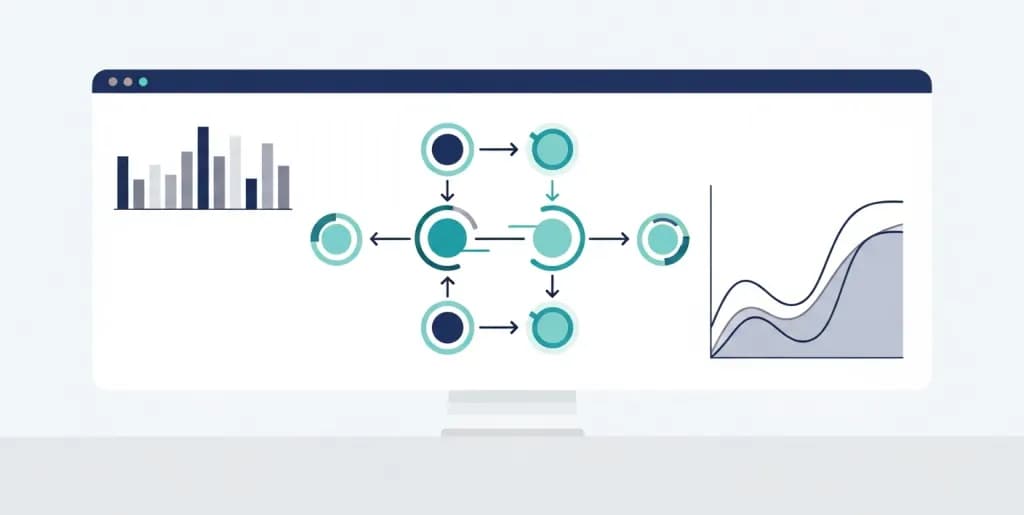
The best onboarding tools for SaaS help new users reach value faster without forcing your team into a months-long implementation project. In practice, that means balancing activation features, product analytics, segmentation, and deployment speed rather than just picking the vendor with the longest enterprise checklist.
This category has also shifted. Static product tours are no longer enough. Strong onboarding tools now combine contextual UI patterns, behavioral triggers, checklist logic, and event data so you can guide different user segments toward activation instead of showing every user the same scripted tour.
This guide compares the best onboarding tools for SaaS through that operating lens so you can choose the right platform for your product stage, technical constraints, and growth model.
Core Features to Evaluate Before Selecting a Tool
Evaluate vendors based on strict technical and functional criteria. Do not purchase a platform based solely on its user interface. Scrutinize its underlying architecture, data handling capabilities, and integration ecosystem. You need a tool that aligns with your product's specific technical constraints and your team's operational workflows.
No-Code and Low-Code Visual Builders
Your product and marketing teams must build and deploy onboarding flows without engineering assistance. Look for platforms offering robust WYSIWYG (What You See Is What You Get) editors. These editors should operate as browser extensions, allowing you to build overlays directly on top of your live application.
Ensure the builder supports CSS customization. Your onboarding elements must look native to your application. Generic, unstyled tooltips degrade the user experience. The platform should allow you to inject your brand colors, typography, and border-radius specifications globally. Test the visual builder against your application's dynamic elements. Single-page applications (SPAs) often use dynamic CSS classes. The onboarding tool must anchor tooltips to elements using stable identifiers like custom data attributes, not volatile class names.
Deep Analytics and Event Tracking
You cannot optimize what you do not measure. The platform must track user interactions automatically. It should record element clicks, page views, and form submissions. Furthermore, it must allow you to define custom events via an API.
Evaluate the platform's reporting dashboard. You need funnel analysis to identify exactly where users abandon an onboarding flow. You need cohort analysis to compare the activation rates of users who signed up in different months. The system should visualize the correlation between completing an onboarding flow and adopting a specific feature. If the native analytics lack depth, ensure the platform exports raw event data to your primary product analytics warehouse.
Dynamic User Segmentation
Treating all users identically guarantees failure. An account administrator requires a different onboarding path than a standard user. Your platform must support granular, dynamic segmentation.
You should be able to build cohorts based on user properties and behavioral data. User properties include role, industry, company size, and subscription tier. Behavioral data includes login frequency, features used, and previous onboarding flows completed. The platform must evaluate these conditions in real-time. If a user upgrades from a free tier to a paid tier, the system should instantly trigger the premium feature onboarding flow.
Multi-Platform and Cross-Device Support
Users access SaaS applications across multiple devices. Your onboarding strategy must account for desktop, tablet, and mobile web experiences. Verify how the platform handles responsive design. A tooltip designed for a 1080p desktop monitor will obscure critical UI elements on a mobile screen.
The best platforms allow you to design distinct flows for different breakpoints. They provide device-specific targeting rules. If your SaaS includes a native iOS or Android application, check if the vendor offers mobile SDKs. Cross-platform consistency ensures users receive a unified educational experience regardless of how they access your product.
UI Pattern Variety
A single UI pattern cannot solve every onboarding challenge. The platform must offer a comprehensive library of interaction types.
- Modals: Large, center-screen pop-ups. Use these sparingly for critical announcements or welcome messages.
- Slideouts: Panels that slide in from the edge of the screen. Use these for secondary information or feature introductions.
- Tooltips: Small informational boxes attached to specific UI elements. Use these to explain complex buttons or form fields.
- Hotspots: Pulsing beacons that draw the eye to a specific area. Use these to highlight new features without interrupting the workflow.
- Checklists: Persistent menus outlining required setup tasks. Use these to drive users toward their "Aha!" moment.
- Banners: Horizontal bars at the top or bottom of the screen. Use these for system status updates or trial expiration warnings.
Top-Tier SaaS Onboarding Platforms for 2026
The market features distinct categories of tools tailored to different company sizes, technical requirements, and budgets. Categorize your needs before reviewing specific vendors. Enterprise solutions offer deep security and complex workflow management but require significant implementation time. Mid-market tools balance feature depth with rapid deployment.
Enterprise-Grade Solutions
These platforms cater to large organizations managing complex software ecosystems. They handle high-volume user data, offer advanced compliance certifications (SOC 2 Type II, HIPAA), and support cross-application onboarding.
WalkMe
WalkMe remains a dominant force in the enterprise sector. It excels in cross-application guidance, allowing you to build flows that span multiple distinct software products. This proves invaluable for internal employee onboarding across a sprawling tech stack.
WalkMe utilizes a patented element recognition algorithm. It maintains tooltip anchors even when the underlying application undergoes significant UI changes. The platform includes deep analytics, automated testing capabilities, and robust enterprise security controls. However, WalkMe requires a dedicated administrator. The learning curve is steep. Implementation often takes months, and the pricing structure targets large enterprise budgets. Use WalkMe if you manage highly complex, multi-system workflows and possess the resources to maintain a dedicated digital adoption team.
Pendo
Pendo combines product analytics with in-app guidance. This dual approach provides a distinct advantage. You do not need to integrate a separate analytics tool to understand user behavior. Pendo captures all user interactions retroactively. You can analyze how users interacted with a feature before you even built an onboarding flow for it.
The platform excels at tying product usage data directly to onboarding interventions. If Pendo's analytics reveal that users drop off at step three of a complex form, you can immediately deploy a tooltip to that specific field. Pendo supports mobile applications via robust SDKs. It serves product managers exceptionally well. The primary constraint is cost; the combined analytics and guidance engine commands a premium price. Choose Pendo if you want a unified platform for product data and user communication.
Whatfix
Whatfix targets both customer-facing SaaS onboarding and internal employee training. It differentiates itself through content automation. The platform can automatically generate PDF manuals, video tutorials, and interactive slideshows based on the onboarding flows you build. This multi-format output saves technical writers countless hours.
Whatfix integrates seamlessly with learning management systems (LMS) via SCORM compliance. It handles complex, conditional branching within onboarding flows effectively. The visual builder is intuitive, though slightly less flexible regarding custom CSS than some competitors. Whatfix offers a strong balance of enterprise security, multi-format content generation, and reliable element targeting. Select Whatfix if your onboarding strategy heavily involves traditional documentation alongside in-app guidance.
Mid-Market and Growth-Focused Tools
These platforms target scaling SaaS companies. They prioritize ease of use, rapid deployment, and product-led growth metrics. They integrate smoothly with modern data stacks and require minimal engineering support after the initial installation.
Appcues
Appcues pioneered the no-code onboarding category. It remains a top choice for product and marketing teams seeking agility. The visual builder is highly refined, allowing non-technical users to create beautiful, native-looking flows in minutes.
Appcues focuses heavily on product-led growth. It provides excellent tools for driving feature adoption and converting free trial users. The platform supports mobile applications and offers a robust integration ecosystem, connecting easily with Salesforce, HubSpot, and Mixpanel. Appcues recently expanded its event-triggering capabilities, allowing for more complex, behavior-driven flows. It lacks the deep, retroactive analytics of Pendo but excels in rapid flow creation and deployment. Choose Appcues if you need to iterate quickly on onboarding experiments without waiting for developer resources.
Userpilot
Userpilot focuses strictly on contextual, behavior-driven onboarding. It actively discourages linear product tours. The platform forces you to think in terms of user actions and triggers.
Userpilot includes a native resource center feature. This allows you to build an in-app knowledge base that users can access on demand. It also features native Net Promoter Score (NPS) surveys, tying user sentiment directly to onboarding completion rates. The platform's segmentation engine is highly granular, allowing you to target users based on a combination of demographic data and in-app behavior. Userpilot requires a slightly more strategic approach to setup than Appcues, but it yields highly personalized user journeys. Select Userpilot if your primary goal is driving contextual feature adoption and building in-app resource hubs.
Chameleon
Chameleon distinguishes itself through deep customization and native styling. It offers the most advanced CSS control among mid-market tools. Onboarding flows built with Chameleon look indistinguishable from your application's hardcoded UI.
Chameleon integrates deeply with modern product analytics tools like Amplitude and Mixpanel. It acts as a specialized delivery mechanism for in-app messaging, relying on your existing data stack for heavy analytical lifting. The platform supports custom code injection within its modals, allowing you to embed complex forms or third-party widgets directly into the onboarding flow. Chameleon's "Microsurveys" feature provides excellent granular feedback capabilities. Choose Chameleon if brand consistency, native styling, and deep integration with your existing analytics stack are your top priorities.
Budget-Friendly and Startup Options
Early-stage startups require functional onboarding without enterprise price tags. These tools provide the essential features needed to activate users efficiently.
UserGuiding
UserGuiding offers a highly accessible entry point into digital adoption. It provides a straightforward visual builder, basic segmentation, and essential UI patterns (tours, tooltips, checklists).
The platform sacrifices some advanced behavioral triggering and deep analytics in exchange for a lower price point and extreme ease of use. You can deploy UserGuiding in a single afternoon. It serves as an excellent proof-of-concept tool. Startups often use it to validate their onboarding hypotheses before migrating to a more complex platform. Select UserGuiding if you have a limited budget and need to implement basic user guidance immediately.
Product Fruits
Product Fruits provides a comprehensive suite of onboarding tools at a competitive price. It includes tours, hints, checklists, and a feedback widget.
The platform stands out by including an integrated knowledge base and a "Life Ring" button for centralized user support. Product Fruits handles single-page applications well and offers decent customization options. The analytics are basic but sufficient for early-stage optimization. It represents a strong all-in-one solution for startups that want to consolidate their onboarding and basic support tools. Choose Product Fruits if you want maximum feature breadth on a startup budget.
Strategic Implementation: Moving Beyond Basic Tooltips
Purchasing a tool solves only the technical challenge. The strategic challenge involves designing user journeys that drive actual product adoption. Do not treat onboarding as a feature dump. Treat it as a behavioral design exercise. You must guide the user from their initial state of ignorance to a state of competence and value realization.
Step 1: Define the "Aha!" Moment
Identify the exact action a user must take to understand your product's core value. For a communication tool, this might be sending the first team message. For an invoicing software, it is generating and sending the first invoice. Your entire initial onboarding flow must drive the user toward this specific action. Discard any tooltips or tours that do not contribute to reaching this milestone.
Step 2: Map the Optimal User Journey
Document the shortest path to the "Aha!" moment. List every click, form fill, and page navigation required. Identify potential friction points. Does the user need to integrate a third-party tool first? Do they need to invite a colleague? Map these dependencies clearly. Use flowchart software to visualize this journey before building anything in your onboarding platform.
Step 3: Segment Your Audience Strategically
Do not show the same onboarding flow to the CEO and the data entry clerk. Segment your users immediately upon signup. Use a welcome modal to ask one or two critical profiling questions. "What is your primary goal with this software?" or "What is your role?" Use these answers to route the user into a tailored onboarding path. Personalization drastically increases completion rates.
Step 4: Implement Contextual Triggers
Abandon linear, mandatory product tours. Stop forcing users through 15-step walkthroughs the moment they log in. Instead, use contextual triggers.
Configure your platform to show a tooltip only when a user interacts with a specific feature for the first time. If a user navigates to the "Reports" dashboard, trigger a brief slideout explaining how to generate a custom report. If they never visit the dashboard, never show them the tutorial. Contextual onboarding respects the user's time and provides help exactly when it is relevant.
Step 5: Deploy Interactive Checklists
Checklists leverage the psychological principle of the Zeigarnik effect—people remember uncompleted tasks better than completed ones. Implement a persistent onboarding checklist in the corner of your application.
Populate the checklist with 3 to 5 high-value tasks. Provide a progress bar. When a user clicks a task, launch a brief interactive tour guiding them through that specific action. Checklists provide users with autonomy. They can explore the software at their own pace while maintaining a clear understanding of what they need to accomplish next.
Step 6: Build an Always-On Resource Center
Onboarding does not end after the first week. Users will forget how to perform complex tasks. Integrate a resource center widget into your application's navigation bar.
This widget should house your knowledge base articles, video tutorials, and previously completed onboarding flows. Allow users to search for help and trigger interactive walkthroughs on demand. An effective resource center drastically reduces basic support tickets. It empowers users to solve their own problems without leaving the application.
Step 7: Establish a Feedback Loop
You must know how users perceive your onboarding experience. Embed micro-surveys at the end of critical flows. Ask a simple question: "Was this guide helpful?" Provide thumbs-up and thumbs-down buttons.
If a specific flow receives consistently negative feedback, investigate immediately. The flow might be broken, the copy might be confusing, or the underlying product feature might require redesigning. Use this qualitative data to complement your quantitative analytics.
Writing Effective In-App Microcopy
The success of your onboarding flows depends heavily on the words you use. In-app microcopy must be concise, action-oriented, and clear. Users do not read tooltips; they scan them. You have milliseconds to convey your message.
Prioritize Clarity Over Cleverness
Do not use jargon or internal company terminology. Use the language your users use. If your product generates "Financial Summaries," do not call them "Fiscal Aggregations" in your tooltips. Be direct. State exactly what a feature does and why the user should care.
- Poor Copy: "Leverage our synergistic data engine to optimize your workflow."
- Effective Copy: "Click here to sync your contacts and save 2 hours of manual entry."
Use Imperative Verbs
Start your instructions with strong, action-oriented verbs. Tell the user exactly what to do. Use verbs like Click, Create, Connect, Select, and Generate.
- Passive: "The report can be generated by clicking this button."
- Active: "Click this button to generate your report."
Respect Character Limits
Keep your copy extremely brief. A standard tooltip should contain no more than two short sentences. If you need to explain a complex concept, use a slideout or a modal, but even then, rely on bullet points and bold text for scannability. Force yourself to cut unnecessary adjectives and adverbs.
Design Clear Calls to Action (CTAs)
Every onboarding element should have a clear next step. Your CTA buttons must describe the action they perform. Never use "Next" or "Okay" if a more descriptive option exists.
- Generic CTA: "Next"
- Descriptive CTA: "Connect Database" or "Create First Project"
Descriptive CTAs reduce cognitive load. The user knows exactly what will happen when they click the button.
Measuring Success: Key Metrics for Onboarding ROI
You must justify the investment in an onboarding platform through measurable business outcomes. Track specific Key Performance Indicators (KPIs) to evaluate the effectiveness of your digital adoption strategy. Establish baseline metrics before implementing the tool, then monitor the delta.
Time to Value (TTV)
Time to Value measures how long it takes a new user to reach their "Aha!" moment. This is the most critical onboarding metric. A shorter TTV correlates directly with higher retention rates.
Measure TTV in days or hours from the initial signup. If your software requires complex setup, your baseline TTV might be 14 days. Your goal should be to reduce that to 7 days using targeted checklists and contextual guidance. Track TTV across different user cohorts. You may find that enterprise users have a longer TTV than SMB users. Adjust your onboarding flows to address the specific bottlenecks extending the TTV for each segment.
Activation Rate
Activation rate measures the percentage of new users who complete a predefined set of high-value actions within a specific timeframe. Define what constitutes an "activated" user for your product.
For a project management tool, an activated user might be someone who creates a project, invites a team member, and assigns a task within the first 7 days. Calculate the activation rate by dividing the number of activated users by the total number of new signups in that period. A successful onboarding platform should increase your activation rate by at least 15-20% within the first quarter of implementation.
Feature Adoption Rate
Onboarding extends beyond the initial setup. You must track the adoption of secondary and tertiary features. Feature adoption rate measures the percentage of your total active user base that utilizes a specific feature.
Calculate this by dividing the number of unique users who interacted with a feature by the total number of active users during a given period. When you launch a new feature, deploy an in-app announcement and a brief interactive tour. Track the feature adoption rate for users who completed the tour versus those who dismissed it. This isolates the impact of your onboarding efforts.
Onboarding Completion and Drop-Off Rates
Analyze the performance of the onboarding flows themselves. Track the completion rate for every tour, checklist, and tutorial you build.
If a 5-step tour has a 20% completion rate, you have a problem. Analyze the step-by-step drop-off data. If 60% of users abandon the tour at step 3, investigate that specific step. The tooltip might be obscuring a critical button, the copy might be confusing, or the requested action might require information the user does not yet possess. Continuously prune and optimize your flows based on this data.
Free-to-Paid Conversion Rate
For SaaS companies utilizing a Product-Led Growth (PLG) model, the free-to-paid conversion rate is the ultimate indicator of onboarding success. Free trial users must experience enough value to justify a purchase.
Track the conversion rate of users who engage with your onboarding flows versus those who ignore them. Tie your in-app guidance directly to premium features. Use tooltips to highlight the limitations of the free tier and demonstrate the value of the paid tier contextually. A well-optimized onboarding strategy directly accelerates revenue generation in a PLG environment.
Support Ticket Deflection Rate
Effective in-app guidance reduces the burden on your customer support team. Track the volume of basic "how-to" support tickets before and after implementing your onboarding platform.
Monitor the usage of your in-app resource center. Calculate the support ticket deflection rate by tracking how many users open the resource center, search for a query, and subsequently close the widget without submitting a support ticket. A high deflection rate indicates that your contextual help and knowledge base are effectively answering user questions.
Integrating Onboarding Tools with Your Tech Stack
An onboarding platform cannot operate in isolation. It must communicate with your broader technology stack to function effectively. Siloed data leads to disjointed user experiences and inaccurate reporting. You must architect a bidirectional data flow between your onboarding tool, your CRM, your product analytics, and your support software.
CRM and Marketing Automation Sync
Integrate your onboarding platform with your Customer Relationship Management (CRM) system, such as Salesforce or HubSpot. This integration enables powerful cross-channel communication.
Pass onboarding completion data to your CRM. If a user abandons the critical setup checklist in the application, trigger an automated email sequence from HubSpot. The email should offer assistance or provide a link to a relevant video tutorial. Conversely, pull CRM data into your onboarding platform. Use Salesforce data, such as the user's industry or account tier, to segment your in-app messaging. If a high-value enterprise account logs in, trigger a personalized welcome modal offering a dedicated onboarding call with a Customer Success Manager.
Product Analytics Alignment
While most onboarding platforms include native analytics, they rarely replace dedicated product analytics tools like Amplitude or Mixpanel. You must align these systems.
Configure your onboarding platform to send event data to your product analytics warehouse. Every time a user views a tooltip, completes a tour, or dismisses a modal, send that event to Amplitude. This allows your data team to build complex funnels. You can analyze how interacting with a specific onboarding flow impacts long-term retention over a 6-month period. This deep analysis requires the processing power of a dedicated analytics engine.
Customer Support and Ticketing Integration
Connect your onboarding platform to your customer support software, such as Zendesk or Intercom. This integration streamlines the support process and improves the user experience.
When a user submits a support ticket via an in-app widget, the system should automatically append their onboarding history to the ticket. The support agent needs to know which tutorials the user has already seen and which features they have adopted. This context prevents the agent from suggesting solutions the user has already tried. Additionally, integrate your knowledge base directly into the onboarding platform's resource center. Ensure that updating an article in Zendesk automatically updates the content displayed inside your application.
Data Flow Architecture and Technical Setup
Involve your engineering team in the integration planning phase. Determine how data will move between systems.
Most modern platforms utilize segment.com or similar customer data platforms (CDPs) to route events. Implement a CDP to act as the central hub. Your application sends raw event data to the CDP. The CDP then distributes that data simultaneously to your onboarding tool, your CRM, and your product analytics warehouse. This architecture prevents you from having to build and maintain multiple point-to-point API integrations. It ensures data consistency across your entire stack.
Future-Proofing Your Onboarding Strategy
The landscape of user education continues to evolve rapidly. As you build your strategy for 2026 and beyond, you must account for emerging technologies and shifting user expectations.
AI-Driven Personalization and Generative Content
Artificial Intelligence is fundamentally altering digital adoption. Expect platforms to move beyond simple rule-based triggers.
Future onboarding tools will utilize machine learning algorithms to analyze a user's behavior in real-time and dynamically generate custom guidance. If an AI detects a user struggling with a specific data import process, it will instantly generate a tailored micro-tutorial based on the exact errors the user is making. Furthermore, generative AI will automate the creation of onboarding copy and translations, allowing you to deploy localized flows globally with minimal effort. Prepare your data infrastructure now to support these AI-driven capabilities.
Predictive Analytics for Churn Prevention
Onboarding platforms will increasingly focus on predictive analytics. They will not just report on what happened; they will predict what will happen next.
By analyzing the onboarding patterns of users who previously churned, these platforms will identify "at-risk" behaviors in new users. If a new signup exhibits the exact behavioral signature of a churned account—such as ignoring the setup checklist and failing to invite team members within 48 hours—the system will automatically trigger a high-priority intervention. This might involve an in-app modal offering a discount or an automated alert to your Customer Success team.
The Shift to Continuous, Lifecycle Onboarding
The concept of "onboarding" as a discrete phase at the beginning of the user journey is obsolete. The focus is shifting to continuous, lifecycle education.
You must design flows for every stage of the customer journey. Build "Upgrade Onboarding" for users moving to higher pricing tiers. Build "Re-engagement Onboarding" for users who have not logged in for 30 days. Build "Sunset Onboarding" to guide users through the transition when you deprecate an old feature. Your digital adoption platform must serve as the primary communication channel between your product team and your user base throughout the entire customer lifecycle.
Quick takeaways
- The most important evaluation criteria are segmentation, analytics depth, UI flexibility, and implementation overhead.
- Product-led SaaS teams usually need faster deployment and better experimentation. Enterprise teams usually need stronger controls and cross-system coverage.
- The right tool should reduce time to value for users and reduce operational load for product, success, and support teams.