
Programmatic SEO Tools for Safe Content Scaling
Learn which programmatic SEO tools you need for data, templates, CMS publishing, indexing, and quality control before scaling content.
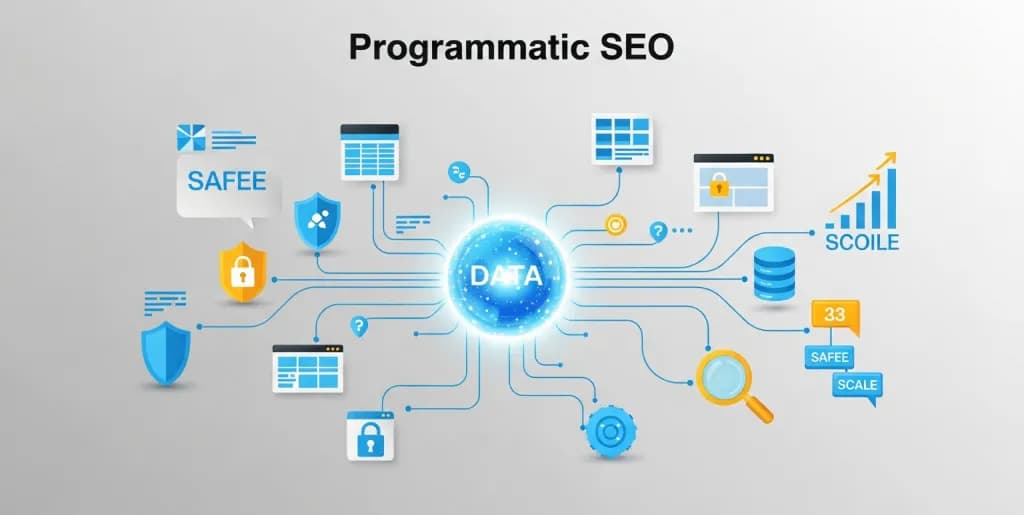
Programmatic SEO tools help you scale pages only if the underlying system is sound. That means reliable data, strong templates, clear indexing controls, and quality checks that prevent thin or repetitive pages from reaching production. Without those controls, programmatic SEO becomes a publishing problem instead of a growth strategy.
This guide focuses on that operational layer. It is written for teams deciding which tools they need for data management, CMS publishing, automation, sitemap control, and post-launch monitoring before they try to scale thousands of pages.
Understanding Programmatic SEO and Its Core Components
At its heart, programmatic SEO is a data-driven content generation strategy. It involves taking structured data – often from a database – and using it to automatically generate unique, targeted web pages or content snippets. These pages are designed to rank for specific long-tail keywords, addressing highly niche user queries that would be impractical or too time-consuming to target with manual content creation.
The magic happens when you identify a repeatable content pattern. Imagine you run a job board. Instead of manually writing "Software Engineer Jobs in New York," "Software Engineer Jobs in San Francisco," and so on, pSEO allows you to define a template. You then feed that template with data (job titles, locations) from your database, and poof – hundreds or even thousands of unique, relevant pages are born.
The fundamental components of any successful pSEO operation are:
- Data Source: This is your goldmine. It could be a list of cities, products, services, or any structured information you want to build content around. Accuracy is paramount here.
- Content Templates: These are the blueprints for your pages. They define the structure, headings, and dynamic placeholders where your data will be inserted.
- Automation Layer: This connects your data to your templates and publishes the generated content to your CMS. It's the engine that drives the scale.
- CMS Integration: Your content management system needs to be able to handle the influx of new pages and display them correctly.
- Indexing & Monitoring: Once pages are live, you need to ensure Google can find, crawl, and index them, then monitor their performance.
Without the right programmatic SEO tools for each of these components, your scaling efforts will quickly hit a wall. Or worse, you'll create a mess that Google will penalize.
Database Tools: Airtable vs. Google Sheets
Your data is the undisputed foundation of programmatic SEO. It needs to be clean, structured, and easily accessible. For many starting out, or even for seasoned pros managing specific campaigns, two tools stand out: Airtable and Google Sheets. Both offer powerful ways to manage your data, but they have distinct strengths.
Google Sheets: The Accessible Workhorse
Google Sheets is often the first choice for good reason. It’s free, widely understood, and incredibly flexible. You can quickly set up tables, import data, and use its robust formula capabilities for data manipulation.
Pros:
- Low Barrier to Entry: Almost everyone knows how to use a spreadsheet. You can get started immediately without a steep learning curve.
- Cost-Effective: It's free, making it ideal for experiments and bootstrapped projects.
- Powerful Formulas: Google Sheets offers an extensive range of functions, allowing for complex data cleaning, transformation, and even basic content generation within the sheet itself.
- Collaboration: Real-time collaboration is excellent, letting multiple team members work on the dataset simultaneously.
- Integrations: With tools like Zapier or Make (formerly Integromat), Sheets can connect to many other platforms, acting as a data hub.
Cons:
- Scalability Limitations: While powerful, Sheets can become unwieldy with tens of thousands of rows or complex relationships. Performance can degrade, and managing vast datasets becomes cumbersome.
- Lack of Database Features: It's a spreadsheet, not a true database. You lack relational database features, strict data validation rules, and robust querying capabilities found in dedicated database solutions.
- Version Control: While it has revision history, managing complex changes across large datasets can be challenging compared to a proper database.
Real-world Observation: I once worked with a small SaaS startup looking to generate location-specific landing pages for their service. We started with Google Sheets, listing cities, unique selling points for each, and local statistics. For about 500 pages, it worked beautifully. We used formulas to concatenate text snippets and even generate unique meta descriptions directly in the sheet. However, when they wanted to expand to 5,000+ locations with multiple service types, Sheets started showing its limits – loading times increased, and keeping track of data integrity became a full-time job.
Airtable: The Hybrid Powerhouse
Airtable bridges the gap between a spreadsheet and a database. It offers the familiar grid interface of a spreadsheet but with the underlying power of a relational database. This makes it a fantastic choice for more complex pSEO projects.
Pros:
- Relational Database Capabilities: You can link records between different tables (e.g., a "Cities" table linked to a "Services" table), which is crucial for generating content that pulls from multiple data points.
- Rich Field Types: Beyond text and numbers, Airtable offers attachment fields, checkboxes, dropdowns, formulas, and even linked records, allowing for much richer data storage.
- Views and Interfaces: Create different views (grid, calendar, gallery, Kanban) to visualize your data in various ways. Custom interfaces let you build user-friendly dashboards for data entry and management.
- API-First Design: Airtable has an incredibly robust and well-documented API. This makes it exceptionally easy to connect with your CMS or automation tools for seamless data transfer.
- Automation: Built-in automation features allow you to trigger actions based on data changes, like sending data to your CMS when a new record is marked "ready for publish."
Cons:
- Learning Curve: While intuitive, understanding relational databases and Airtable's specific features takes a bit more time than Sheets.
- Cost: While there's a free tier, serious usage for large datasets and advanced features quickly moves into paid plans, which can add up.
- Performance at Extreme Scale: For millions of records, even Airtable can start to feel clunky. At that point, you're likely looking at dedicated SQL or NoSQL databases.
When to Choose Which:
- Google Sheets: Perfect for initial experiments, smaller campaigns (under a few thousand pages), or when your data is relatively flat and doesn't require complex relationships. It's your go-to for quick proofs of concept.
- Airtable: The superior choice for larger, more complex pSEO campaigns where you need relational data, richer field types, and robust API access. It's an investment that pays off in data integrity and scalability.
Ultimately, your database choice hinges on the complexity and scale of your pSEO project. Start simple, but be ready to upgrade as your needs grow.
CMS Integration: WordPress vs. Webflow
Once your data is clean and structured, you need a way to publish it. Your Content Management System (CMS) is where your programmatic pages will live, and it needs to be flexible enough to handle dynamic content generation. WordPress and Webflow are two popular choices, each with its own approach to pSEO integration.
WordPress: The Flexible Giant
WordPress powers a massive percentage of the internet, and its flexibility makes it a strong contender for programmatic SEO. Its open-source nature means there's a plugin or custom code solution for almost anything you can imagine.
Pros:
- Plugin Ecosystem: This is WordPress's superpower. Plugins like Advanced Custom Fields (ACF), Custom Post Type UI (CPT UI), and various templating engines allow you to create custom fields and templates for your programmatic content.
- API Access: WordPress has a robust REST API, making it relatively straightforward to push data from your database (Airtable, Sheets) directly into WordPress posts or custom post types.
- Theme Customization: You have complete control over your theme. You can design highly specific templates that dynamically pull in data from custom fields, ensuring each generated page looks unique and on-brand.
- Community Support: Given its popularity, finding help, tutorials, and developers experienced in WordPress integration is easy.
- Cost-Effective Hosting: WordPress hosting is generally affordable and widely available.
Cons:
- Performance at Scale: While WordPress can handle a lot, generating and serving hundreds of thousands or millions of pages can strain its database and server resources without proper optimization (caching, CDN, powerful hosting).
- Security & Maintenance: The vast plugin ecosystem can introduce security vulnerabilities if not managed carefully. Regular updates and maintenance are crucial.
- Development Overhead: While plugins simplify things, achieving truly custom pSEO setups often requires a developer to write custom code for API integration, template logic, and performance optimization.
First-hand Experience: For a client building a directory of local services, we used WordPress with ACF and a custom theme. We had an Airtable base with service types, locations, and unique descriptions. We then built a custom script that pulled data from Airtable's API, mapped it to ACF fields in a custom post type, and created new posts. The initial setup took some development effort, but once live, we could generate thousands of service pages with unique content, all managed from Airtable. The key challenge was optimizing the database queries and caching to keep the site fast under heavy load.
Webflow: The Visual Builder with API Power
Webflow is a powerful no-code/low-code platform that combines visual design with robust CMS capabilities. It's particularly appealing for its design flexibility and its native CMS features.
Pros:
- Visual Design & Development: Webflow's designer allows you to build stunning, responsive websites without writing code. This is a massive advantage for creating beautiful, unique programmatic templates.
- Native CMS: Webflow's CMS is built for structured content. You can define collections (like custom post types in WordPress) with custom fields, making it perfect for holding your programmatic data.
- Robust API: Webflow has an excellent API that allows you to create and update collection items programmatically. This means you can push your data from Airtable or Sheets directly into your Webflow CMS.
- Performance: Webflow sites are generally fast and secure out-of-the-box, as Webflow handles hosting, CDN, and security.
- Dynamic Pages: Easily design collection page templates that automatically populate with data from your CMS items.
Cons:
- Cost: Webflow's pricing can be higher than self-hosted WordPress, especially as your CMS item count grows. Each "collection item" (a programmatic page) counts towards your plan limits.
- Scalability Limits (CMS Items): While Webflow is powerful, its CMS has hard limits on the number of collection items (e.g., 10,000 or 25,000 depending on the plan). This can be a significant constraint for massive pSEO campaigns aiming for hundreds of thousands or millions of pages.
- Less Custom Code Flexibility: While you can add custom code, Webflow is more opinionated than WordPress. Deep, custom programmatic logic might require workarounds or external functions.
When to Choose Which:
- WordPress: Ideal for projects requiring extreme scalability (hundreds of thousands to millions of pages), deep custom functionality, or when you have in-house development resources comfortable with PHP and database optimization. It offers ultimate control.
- Webflow: Excellent for projects where visual design is paramount, you prefer a no-code/low-code approach, and your programmatic page count is within its generous (but not infinite) CMS limits. It's fantastic for highly polished, mid-scale pSEO efforts.
Your choice here will dictate much of your workflow. Consider your team's technical expertise, your budget, and the sheer volume of pages you intend to generate.
Indexing Tools: Ensuring Scale Doesn't Kill Crawl Budget
Generating thousands of pages is only half the battle. If Google doesn't find, crawl, and index them, your programmatic SEO efforts are wasted. At scale, managing crawl budget and ensuring proper indexing becomes a critical task.
Google Search Console (GSC): Your Undisputed Best Friend
Google Search Console is not just a tool; it's your direct line to Google. For programmatic SEO, it's indispensable for monitoring crawl status, identifying indexing issues, and submitting sitemaps.
How it helps:
- Crawl Stats Report: This report shows you how often Googlebot visits your site, how many pages it crawls, and any crawl errors. Keep a close eye on this; a sudden drop in crawled pages could indicate an issue with your pSEO setup.
- Index Coverage Report: This is crucial. It tells you which pages are indexed, which are excluded (and why), and any errors preventing indexing. You'll want to see your programmatic pages moving into the "Valid" category.
- Sitemaps: Submit your sitemaps (more on this below!) directly through GSC. GSC will then report on their processing status and any errors found.
- URL Inspection Tool: For individual pages, use this tool to see Google's perspective: when it was last crawled, if it's indexed, and any mobile usability issues. You can also request indexing for specific URLs, though this isn't scalable for thousands of pages.
Observation: When launching a large pSEO campaign, I've often seen a temporary dip in crawl rate or an increase in "Discovered - currently not indexed" pages in GSC. This is Google's system adjusting to the sudden influx of new content. Consistent monitoring and ensuring your sitemaps are up-to-date are key to helping Google catch up.
Sitemaps: Guiding Google's Crawlers
Sitemaps are XML files that list all the URLs on your site you want Google to crawl. For programmatic SEO, dynamic sitemap generation is non-negotiable. You can't manually update sitemaps for thousands of new pages.
Key considerations:
- Dynamic Generation: Your CMS or a custom script should automatically generate and update your sitemap whenever new programmatic pages are published.
- Sitemap Index Files: For very large sites (over 50,000 URLs), you'll need a sitemap index file that points to multiple smaller sitemaps. This keeps individual sitemaps manageable.
lastmodTag: Include thelastmodtag in your sitemaps to tell Google when a page was last modified. This helps Google prioritize crawling updated content.- Prioritization: While Google states
priorityandchangefreqtags are largely ignored, ensuring your most important programmatic pages are listed first in smaller sitemaps can sometimes subtly influence crawl order.
Log File Analysis: The Advanced View
For advanced users, log file analysis offers a granular view of how search engine bots are interacting with your server. It's like looking over Googlebot's shoulder.
What it reveals:
- Crawl Frequency & Depth: See exactly which URLs Googlebot is hitting, how often, and how deep it's going into your site structure.
- Crawl Budget Waste: Identify if Googlebot is spending time crawling low-value pages, redirect chains, or broken links that should be blocked.
- New Page Discovery: Confirm if your newly generated programmatic pages are being discovered by Googlebot.
- HTTP Status Codes: Spot patterns of 404s, 500s, or other errors that might be impacting crawlability.
Tools: While manual log analysis is possible, tools like Screaming Frog Log File Analyser, Botify, or OnCrawl automate the process, making it much more digestible.
Constraint: Log file analysis requires access to your server logs, which might not be available on all hosting plans or CMS platforms (e.g., Webflow's managed hosting). It's typically for self-hosted WordPress or custom-built solutions.
Risk Mitigation: Avoiding 'Spammy Generated Content' Penalties
The biggest fear with programmatic SEO is triggering a Google penalty for "spammy automatically generated content." Google's helpful content updates have made it clearer than ever: quality and user value are paramount. You can scale, but you absolutely cannot compromise on helpfulness.
Here’s how to mitigate those risks and ensure your pSEO efforts remain safe and effective:
1. Focus on Uniqueness and Value
This is non-negotiable. Every single programmatic page must offer unique value to the user.
- Unique Data Points: Don't just swap out a city name. Integrate unique data points for each page. For a "best restaurants in X city" page, include specific restaurant names, addresses, unique descriptions, and local insights relevant only to that city.
- Contextual Content: Ensure the generated content makes sense and reads naturally. Avoid generic filler. Use conditional logic in your templates to display different content based on specific data values.
- User Intent Match: Each page should directly answer a specific user query. If someone searches for "best vegan cafes in Austin," your programmatic page should deliver exactly that, with helpful details.
What didn't work: Early in my career, I saw a company attempt pSEO by simply changing a keyword in a paragraph and calling it a day. "Find the best [keyword] in [city]." The rest of the page was identical boilerplate. Google quickly deindexed those pages. The lesson: truly unique content is not just about keyword variation; it's about unique information.
2. Implement Strong Quality Control
Even with automation, human oversight is crucial.
- Spot Checks: Regularly review a sample of your generated pages. Do they read well? Are there grammatical errors? Is the data accurate?
- Template Refinement: Continuously refine your content templates based on quality checks and user feedback. Look for ways to make the content richer and more engaging.
- Sentiment Analysis (Advanced): For very large-scale projects, consider using AI tools to perform sentiment analysis or readability scores on generated content to flag potential issues.
3. Build for E-E-A-T (Experience, Expertise, Authoritativeness, Trustworthiness)
Build for E-E-A-T (Experience, Expertise, Authoritativeness, Trustworthiness) Google heavily emphasizes E-E-A-T, especially for YMYL (Your Money Your Life) topics. Even if your pSEO isn't YMYL, demonstrating E-E-A-T builds trust.
- Author Bios: If applicable, include author bios for generated content, even if it's a "site expert."
- Data Sources: Clearly cite sources for any data or statistics used on your programmatic pages.
- User Reviews/Testimonials: Integrate user-generated content (reviews, ratings) where possible to add social proof and unique content.
- Contact Information: Ensure clear contact information and a professional "About Us" page exist, signaling a legitimate entity.
4. Manage Crawlability and Indexing Strategically
Don't overwhelm Google.
- Phased Rollouts: Don't publish 100,000 pages overnight. Roll them out in batches (e.g., 1,000-5,000 pages per week) to allow Google to process them gradually.
- Noindex Low-Quality Pages: If you generate pages that turn out to be low-value or duplicate,
noindexthem immediately. Don't let them dilute your site's overall quality. - Internal Linking: Ensure your programmatic pages are well-integrated into your site's internal linking structure. This helps Google discover them and passes authority.
- Canonicalization: Use canonical tags correctly if you have similar pages to prevent duplicate content issues.
5. Monitor Performance and User Engagement
Google's helpful content system looks at user signals.
- Google Search Console: Monitor impressions, clicks, and average position for your programmatic pages. Look for pages that aren't getting traffic or are experiencing drops.
- Analytics (e.g., Google Analytics 4): Track bounce rate, time on page, and conversion rates for your pSEO content. High bounce rates or low engagement could signal a quality issue.
- User Feedback: Pay attention to any direct user feedback or comments on your pages. They are invaluable for identifying areas for improvement.
Disclaimer: While programmatic SEO offers immense scaling potential, it's not a set-it-and-forget-it solution. Google's algorithms are constantly evolving. Always prioritize user experience and helpfulness. If you're unsure about the quality of your generated content, err on the side of caution and refine your templates.
Checklist for Launching Your First pSEO Campaign
Ready to embark on your programmatic SEO journey? This checklist will help you systematically prepare for a safe and successful launch.
Phase 1: Planning & Data Preparation
- Identify Your Niche: What specific long-tail queries can you answer at scale?
- Define Your Data Points: What unique pieces of information will each page require? (e.g., city, product name, feature, local statistic).
- Source Your Data: Where will you get this data? Ensure it's accurate, reliable, and up-to-date.
- Choose Your Database Tool: Will you use Google Sheets (simpler, smaller scale) or Airtable (complex, larger scale)?
- Clean and Structure Your Data: Remove duplicates, correct errors, and ensure consistent formatting. This is critical.
- Map Data to Content Elements: Decide which data points will go into the title, headings, body paragraphs, meta descriptions, etc.
Phase 2: Template & CMS Setup
- Select Your CMS: WordPress (flexibility, scale) or Webflow (visual, design-focused)?
- Design Your Content Template(s): Create a blueprint for your programmatic pages.
- Include dynamic placeholders for your data.
- Ensure a clear hierarchy (H1, H2, H3).
- Incorporate unique elements beyond just data insertion (e.g., images, internal links, calls to action).
- Set Up Custom Fields: In your CMS, create custom fields that correspond to your data points.
- Establish Internal Linking Strategy: How will these new pages link to each other and to existing content?
- Optimize for Core Web Vitals: Ensure your template is lean, loads quickly, and provides a good user experience.
Phase 3: Automation & Integration
- Choose Your Automation Method:
- No-code: Zapier, Make (formerly Integromat) for connecting Sheets/Airtable to CMS.
- Low-code/Custom Script: Python, Node.js script for direct API integration.
- Test Your Integration: Run small-scale tests to ensure data flows correctly from your database to your CMS and populates the templates as expected.
- Implement Error Handling: What happens if data is missing or malformed?
- Set Up Dynamic Sitemap Generation: Ensure your CMS or a custom script automatically generates and updates sitemaps for your new pages.
Phase 4: Launch & Monitoring
- Perform a Final Quality Check: Review a significant sample of generated pages for accuracy, readability, and uniqueness.
- Phased Rollout: Don't publish everything at once. Start with a smaller batch, monitor, then scale up.
- Submit Sitemaps to GSC: Ensure Google Search Console has your latest sitemaps.
- Monitor GSC: Regularly check the Index Coverage Report, Crawl Stats, and URL Inspection Tool. Look for errors or "Discovered - currently not indexed" status.
- Track Analytics: Use Google Analytics 4 to monitor traffic, engagement, and conversions for your programmatic pages.
- Gather Feedback: Pay attention to user comments or support queries related to your new content.
- Iterate and Improve: Programmatic SEO is an ongoing process. Continuously refine your data, templates, and automation based on performance and user feedback.
Launching a pSEO campaign is an exciting venture. By methodically working through these steps and prioritizing quality at every turn, you'll be well-equipped to scale your content safely and unlock significant organic growth. Remember, the goal isn't just more pages; it's more helpful pages.
Quick takeaways
- Programmatic SEO is a systems problem first, not a prompt problem.
- Your stack needs five layers: data source, templating, publishing, indexing control, and quality assurance.
- The highest-risk mistake is publishing pages that vary by keyword but not by actual user value.